If you are an existing MATE customer, you can use our self-care portal or myMATE app to upgrade to Fibre, provided your address is eligible.
For specific information about the benefits of upgrading to Fibre to the Premises (FTTP), refer to our Fibre Upgrade pages for Fibre to the Node (FTTN) and Fibre to the Curb (FTTC).
📅 Orders placed from 10 December 2025
You’ll need to choose a plan nbn 500/50 or higher to upgrade, and stay on nbn 500 or higher for 12 months. During that time, you won’t be able to downgrade to a lower speed plan.
✅ For Fibre Upgrade orders placed from 10th December 2025, there’s no Early Termination Fee.
📅 Orders placed before 10 December 2025
These upgrades also come with a 12 month period on nbn 500 or higher.
🚨 For Fibre Upgrade orders placed before 10th December 2025, if the service is cancelled or downgraded below nbn 500 during those 12 months, an Early Termination Fee of $220 applies.
⏪ Before 10 December 2025: View the full terms
🚀 From 10 December 2025: View the full terms
Steps at a glance
- Log in to the myMATE app or self-care portal
- Select “Add New Service”
- Choose “NBN”, then “Upgrade to Fibre”
- Select your new plan
- Set your cancellation preference for your current nbn service
- Submit your order
Upgrade to Fibre using the myMATE app (best on mobile devices)
Use your account number (also known as your MATE code) to log in to our myMATE app.
Download the myMATE app1. Click “add new service” and follow the prompts.
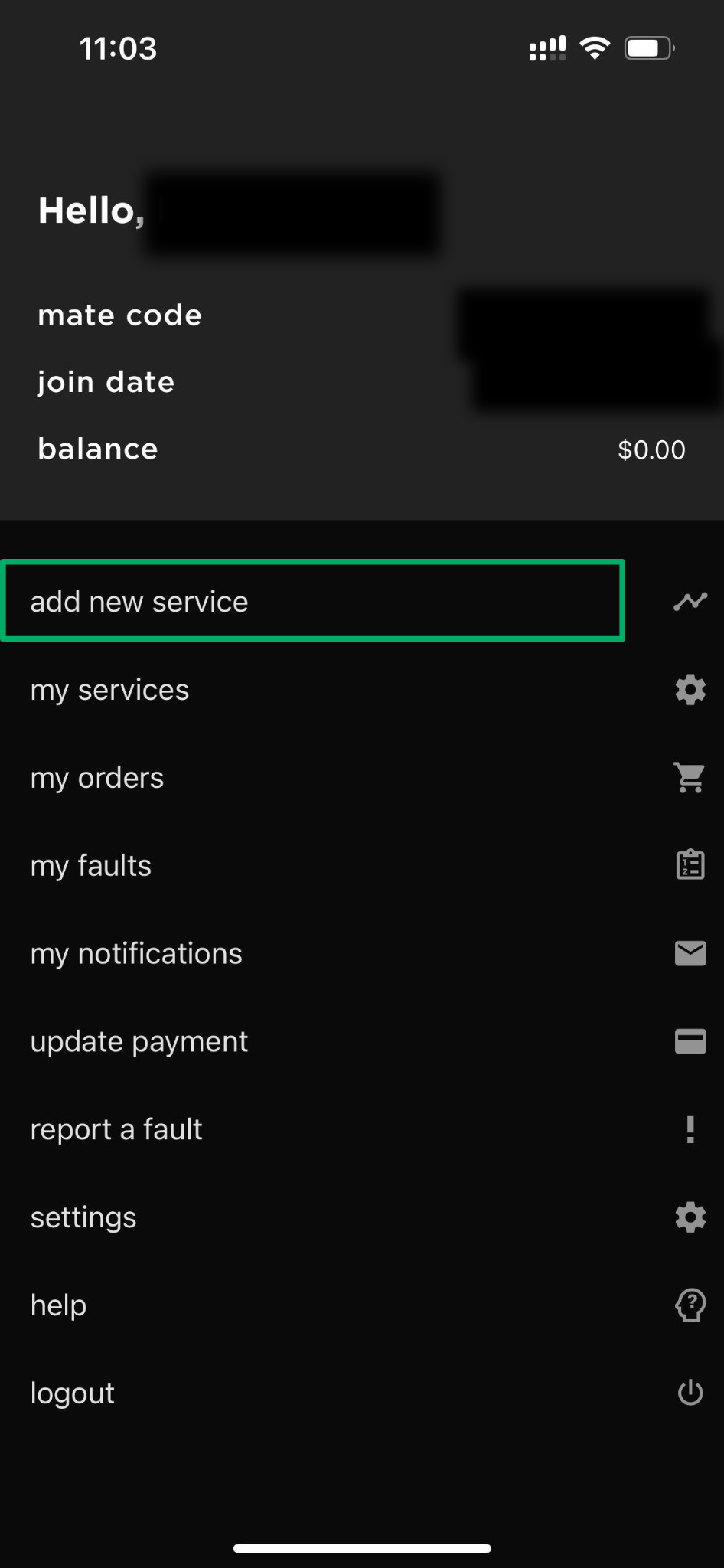
2. Select “NBN” and tap “Next”.
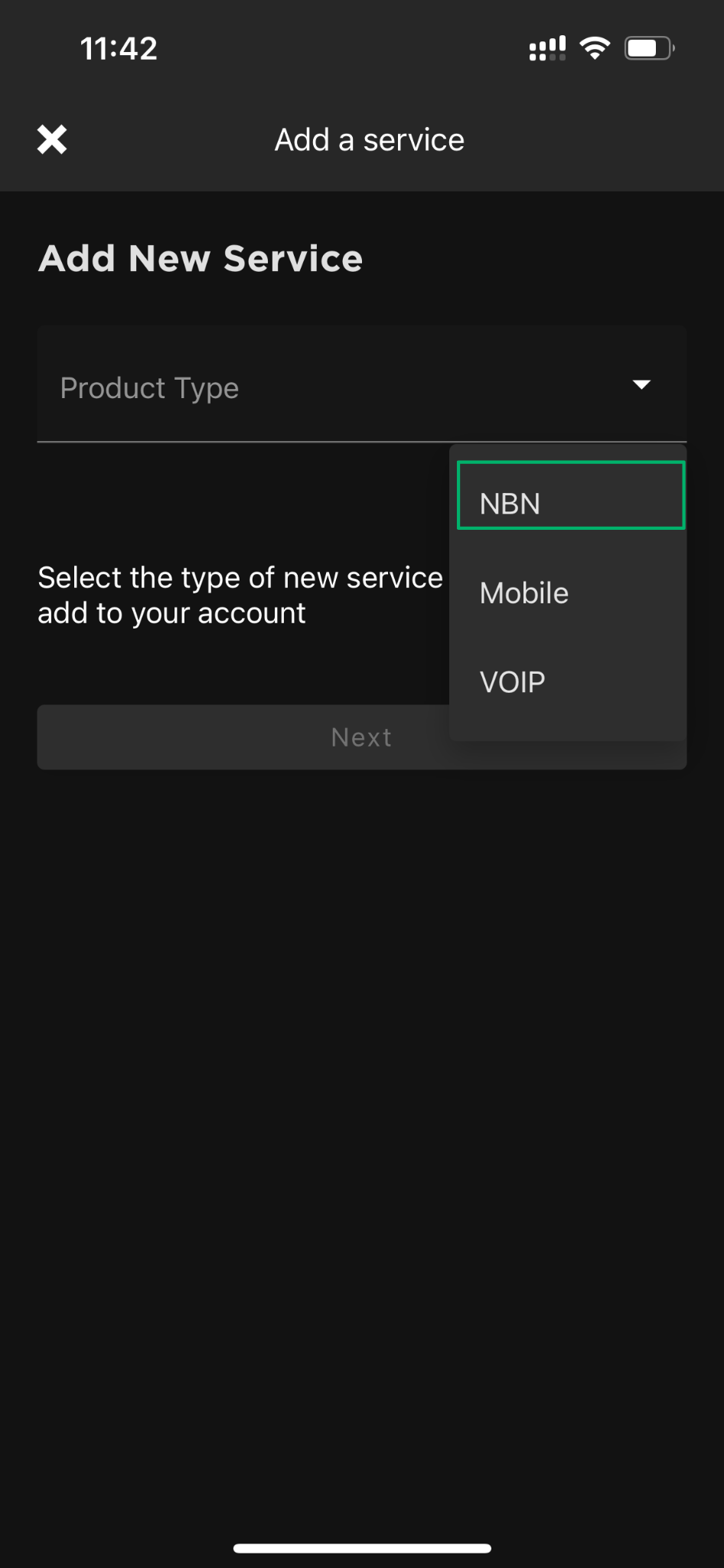
3. Select “Upgrade to Fibre” and tap “Next”.
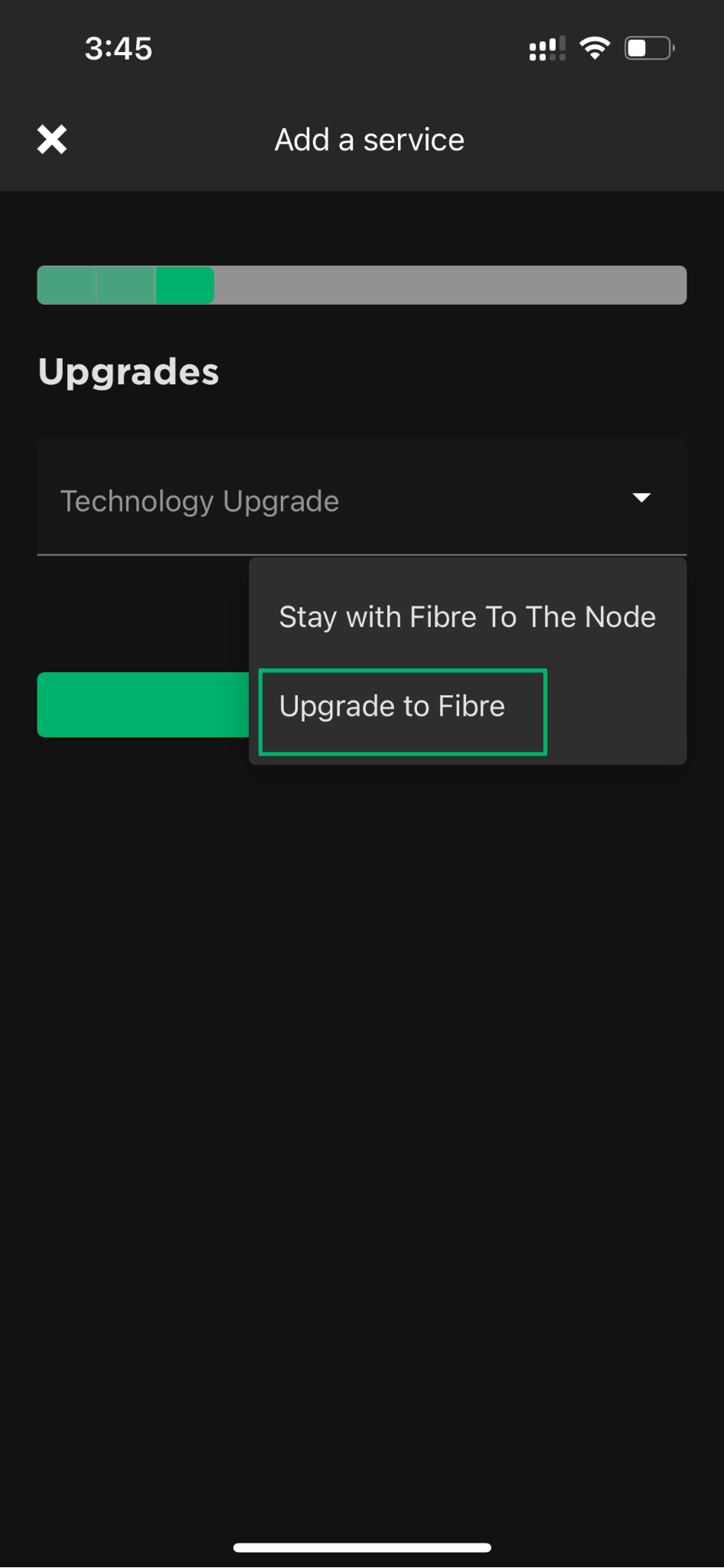
4. Choose your new Fibre plan.
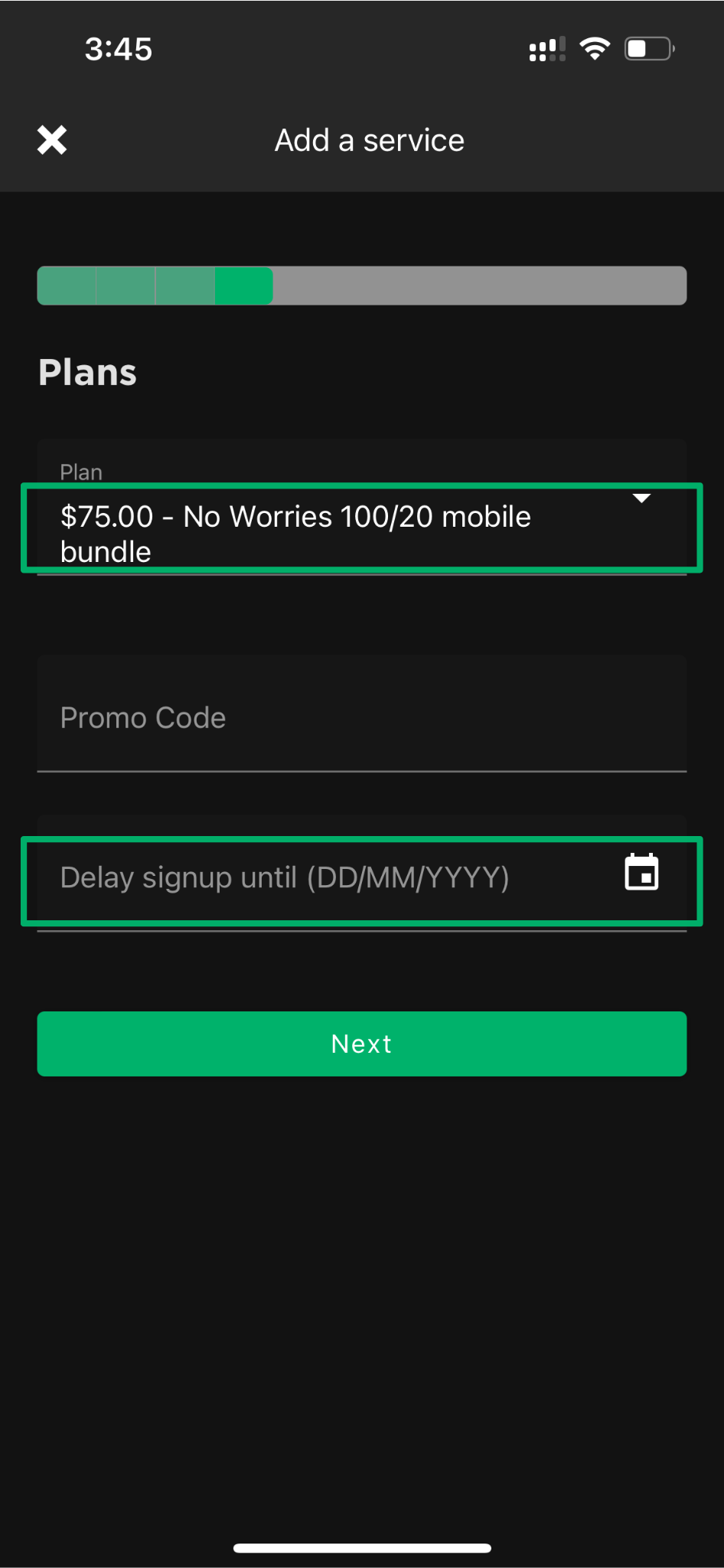
5. Confirm the cancellation of your current nbn service by selecting:
- “When this subscription activates“
- “Online“
6. Review, confirm and submit your order.
Upgrade to Fibre using the self-care portal (best on desktop)
Use your account number (also known as your MATE code) to log in to our self-care portal.
1. Click “add a new service” and follow the prompts.
2. In the Upgrades section, select “Upgrade to Fibre”.
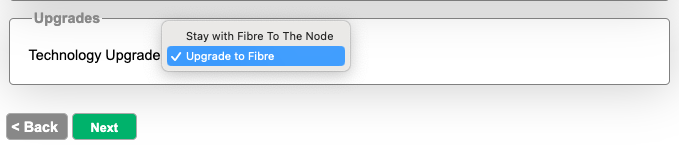
3. Select your new plan.
4. Confirm the cancellation of your current nbn service by selecting:
- “When this subscription activates“
- “Offline“
5. Review, confirm and submit your order.
I started my Fibre upgrade but don’t see the ‘Upgrade to Fibre’ step – what should I do?
If you’re upgrading via the myMATE app or self-care portal and you don’t see the “Upgrade to Fibre” option during setup, don’t worry – this may be because your address is already approved for a fast-track Fibre upgrade.
In these cases, you’ll skip straight to choosing a new Fibre plan. You won’t need to select an upgrade type or agree to a contract term – your only option will be month to month, with no installation cost and no minimum term.
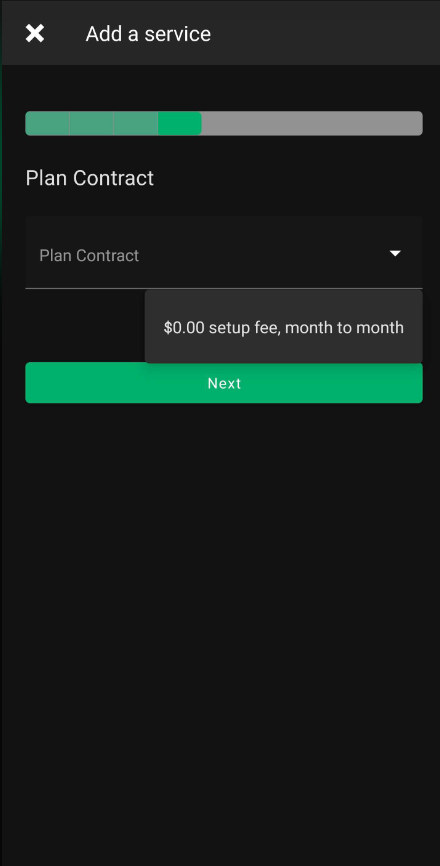
Just follow the steps to select your new plan, confirm your preferences, and submit your order. Your current service will remain connected until the upgrade is complete, so there’s no downtime.


