Modem vs Router vs Modem-Router: NBN Equipment Explained (Plus BYO Advice)
Home & Business Internet Blog | MATE | 22 May 2024
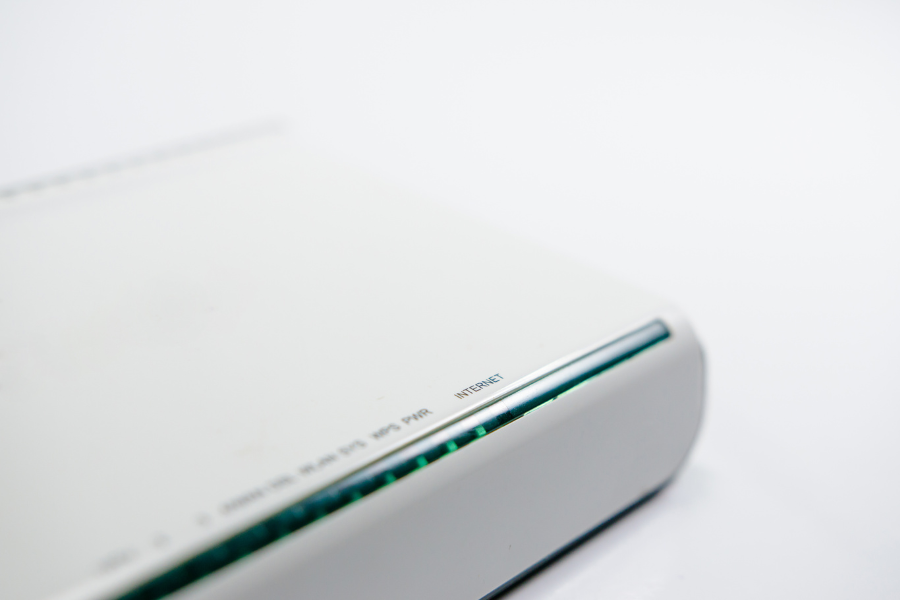
Everything you need to know about nbn modems, routers, and modem-routers. What they do, which you need, and how to choose the right one (or bring your own – BYO).
TL;DR – Quick Takeaways
- A modem connects you to the nbn network. A router distributes that connection to your devices via Wi-Fi/ethernet
- Most people need a modem-router (one device that does both jobs)
- Different nbn connection types need different modems — FTTP and HFC use different equipment than FTTN/FTTC
- You can BYO modem if it’s compatible with your nbn connection type and speed tier
- MATE’s modem router is $165 and works with all nbn connection types
- If buying your own, look for: nbn-ready certification, Wi-Fi 6 or 7, gigabit ethernet ports, good coverage for your home
What’s the Difference? Modem vs Router vs Modem-Router
Let’s clear up the confusion. These terms get thrown around interchangeably, but they’re actually different things:
Modem
A modem connects your home to the nbn network. It translates the signal from the nbn connection (fibre, coaxial, or phone line) into something your devices can use.
Think of it as the gateway between the nbn and your home network.
A modem alone doesn’t create Wi-Fi. It typically has one ethernet port that you’d plug a single device into — or connect to a router.
Router
A router takes an internet connection and distributes it to multiple devices. It creates your home Wi-Fi network and manages all your connected devices (phones, laptops, smart TVs, etc.).
Think of it as the traffic controller inside your home.
A router alone can’t connect to the nbn. It needs to be plugged into a modem first.
Modem-Router (Combo Device)
A modem-router combines both functions in one device. It connects to the nbn AND creates your Wi-Fi network. This is what most households use.
One device, does everything. Simple.
When people say ‘modem’ in everyday conversation, they usually mean a modem-router combo device.
Which Do You Need for nbn?
For most people: a modem-router combo device.
Unless you’re running a complex network setup or need enterprise-grade equipment, a single modem-router handles everything you need:
- Connects to the nbn
- Creates Wi-Fi network
- Provides ethernet ports for wired devices
- Manages connected devices
When You Might Use Separate Devices
Some people use a modem + separate router setup if they:
- Want a high-end router for better W-iFi performance
- Need advanced network features (VLANs, custom firewall rules, etc.)
- Have a large home and want to use a mesh Wi-Fi system
- Already own a great router and just need an NBN modem
For most households though, a modem-router combo is simpler and cheaper.
NBN Connection Type Requirements
Here’s the crucial bit: different NBN connection types need different modems.
| Connection Type | What You Need | Notes |
|---|---|---|
| FTTP | Standard ethernet router (no modem needed) | NBN Connection Box acts as the modem – just plug router into it |
| HFC | Standard ethernet router (no modem needed) | NBN Connection Box acts as the modem – just plug router into it |
| FTTN | VDSL2 modem-router | Must support VDSL2 – connects to phone line socket |
| FTTC | Standard ethernet router (no modem needed) | NBN Connection Device acts as the modem – just plug router into it |
| Fixed Wireless | Standard ethernet router (no modem needed) | NBN Outdoor Antenna acts as the modem – just plug router into it |
Important: Check Your Connection Type First
Before buying any modem, check your nbn connection type:
- Go to https://www.letsbemates.com.au/nbn/ check-your-address
- Enter your address
- Look for ‘Technology Type’
This tells you exactly which type of modem/router you need.
BYO Modem: What You Need to Know
You’re absolutely allowed to bring your own modem to MATE (or any nbn provider). Here’s what you need to consider:
1. Compatibility
Your modem must:
- Match your nbn connection type (VDSL2 for FTTN, ethernet for FTTP/HFC/FTTC/Fixed Wireless)
- Support your chosen speed tier (e.g., gigabit speeds need gigabit-capable hardware)
- Be nbn-ready certified (look for ‘nbn-ready’ or ‘nbn-compatible’ labeling)
2. Setup Knowledge
With BYO modems, you’re responsible for:
- Configuring the modem with your provider’s settings (username, password, VLAN tags if required)
- Troubleshooting connection issues
- Firmware updates
Most provider-supplied modems come pre-configured. BYO means you handle this yourself (though it’s not difficult if you’re comfortable with tech).
3. Support Limitations
If you use your own modem:
- Your provider’s tech support may not be able to help with modem-specific issues
- You’ll need to contact the modem manufacturer for hardware problems
- Troubleshooting gets more complex (is it the modem or the nbn connection?)
4. Warranty and Replacement
If your modem breaks:
- Provider-supplied modems get replaced quickly (often free or cheap)
- BYO modems – you’re responsible for warranty claims and replacement
When BYO Makes Sense
BYO is great if you:
- Already own a compatible modem
- Want specific features (better Wi-Fi range, advanced parental controls, gaming optimisation)
- Are comfortable with tech setup
- Want to avoid modem fees (though MATE’s modem is only $165)
Best Modem Features to Look For
Whether you’re buying your own or choosing a provider’s modem, these features matter:
Wi-Fi Standard
- Wi-Fi 7 (802.11be): Newest standard, exceptional performance, best for high-demand homes with many devices
- Wi-Fi 6E (802.11ax with 6GHz): Extended Wi-Fi 6 with additional 6GHz band, great for congested areas
- Wi-Fi 6 (802.11ax): Current mainstream standard, excellent performance, handles many devices well
- Wi-Fi 5 (802.11ac): Previous standard, still solid for many homes
Gigabit Ethernet Ports
Make sure the modem has gigabit ethernet ports (1000Mbps), not 100Mbps ports. This matters if you:
- Have nbn 100 or faster
- Want to use wired connections for gaming or work
Dual-Band (2.4GHz + 5GHz)
Dual-band modems create two Wi-Fi networks:
- 2.4GHz: Better range, slower speeds — good for IoT devices, phones
- 5GHz: Shorter range, faster speeds — good for laptops, streaming, gaming
This is standard on modern modems.
MU-MIMO and Beamforming
These features improve Wi-Fi performance:
- MU-MIMO: Handles multiple devices simultaneously without slowdown
- Beamforming: Focuses Wi-Fi signal toward devices instead of broadcasting equally in all directions
Coverage Area
Check the modem’s rated coverage:
- Small homes/apartments: 100-150m² coverage is fine
- Medium homes: 150-250m² coverage
- Large homes: Consider mesh Wi-Fi instead
MATE’s Modem Options
If you don’t want to deal with compatibility research or setup hassle, MATE supplies modems that work with all nbn connection types.
What you get:
- Pre-configured modem-router – plug in and go
- Works with FTTP, HFC, FTTN, FTTC, and Fixed Wireless
- Wi-Fi 6 or 7
- Gigabit ethernet ports
- Coverage for typical Australian homes
- Support from MATE if issues arise
Cost: $165 (included in your setup fee, not free)
See full specs and order options on the nbn-ready modem page.
Frequently Asked Questions
Do I need a modem for FTTP?
Technically no — the NBN Connection Box acts as the modem. You just need a router to create WiFi and distribute the connection. Most people use a standard router (which is often called a modem-router even though the modem part isn’t needed for FTTP).
Can I use my old ADSL modem with NBN?
No. ADSL modems are not compatible with NBN. Even on FTTN (which uses phone lines), you need a VDSL2-capable modem, not ADSL.
What’s the difference between a $100 modem and a $500 modem?
Higher-end modems typically offer: better WiFi range and speed, more ethernet ports, advanced features (gaming prioritisation, parental controls, VPN support), better build quality, and more device capacity. For most households, a mid-range modem ($150-$250) is plenty.
Can I use a mesh WiFi system with NBN?
Yes. For FTTP/HFC/FTTC/Fixed Wireless, plug the main mesh node into the NBN Connection Box. For FTTN, you’ll need a VDSL2 modem first, then connect the mesh system to it. Some mesh systems have built-in VDSL2 modems specifically for FTTN.
Will a better modem make my NBN faster?
Only if your current modem is the bottleneck. If you have NBN 100 but your modem only has 100Mbps ethernet ports (not gigabit), upgrading will help. If your WiFi coverage is poor, a better modem with stronger WiFi will improve speeds in distant rooms. But if your modem already supports your speed tier properly, a fancier one won’t magically make your connection faster.
Do I own the modem if I get it from my provider?
Depends on the provider. With MATE, you own the modem — the $165 is a purchase, not a rental. Some providers offer modems on rental agreements or lock-in contracts. Always check ownership terms.
What if my modem stops working?
If you got it from your provider, contact them for a replacement. If you BYO, contact the manufacturer’s warranty support. Most modems have 1-3 year warranties. Keep your receipt.
Can I use a gaming router with NBN?
Absolutely. Gaming routers work great with NBN — they offer features like traffic prioritisation (QoS), lower latency, and better performance under heavy load. For FTTN, make sure it has a VDSL2 modem built in, or use a separate VDSL2 modem with the gaming router.
What’s VLAN tagging and do I need to worry about it?
VLAN tagging is a network configuration setting some NBN connections require. If you use a provider-supplied modem, it comes pre-configured. If you BYO, you may need to set the VLAN ID (often VLAN 2 for NBN). Your provider will tell you if this is required and what settings to use.
Should I get WiFi 6 or is WiFi 5 enough?
WiFi 5 is fine for most households right now. WiFi 6 is better if you have: lots of devices (10+), NBN 250 or 1000, new phones/laptops that support WiFi 6, or want future-proofing. WiFi 6 modems cost more but will last longer as more devices support the standard.
Ready to get connected? Check out MATE’s nbn plans and choose whether you want a modem included or prefer to bring your own.




