Our nbn modem routers
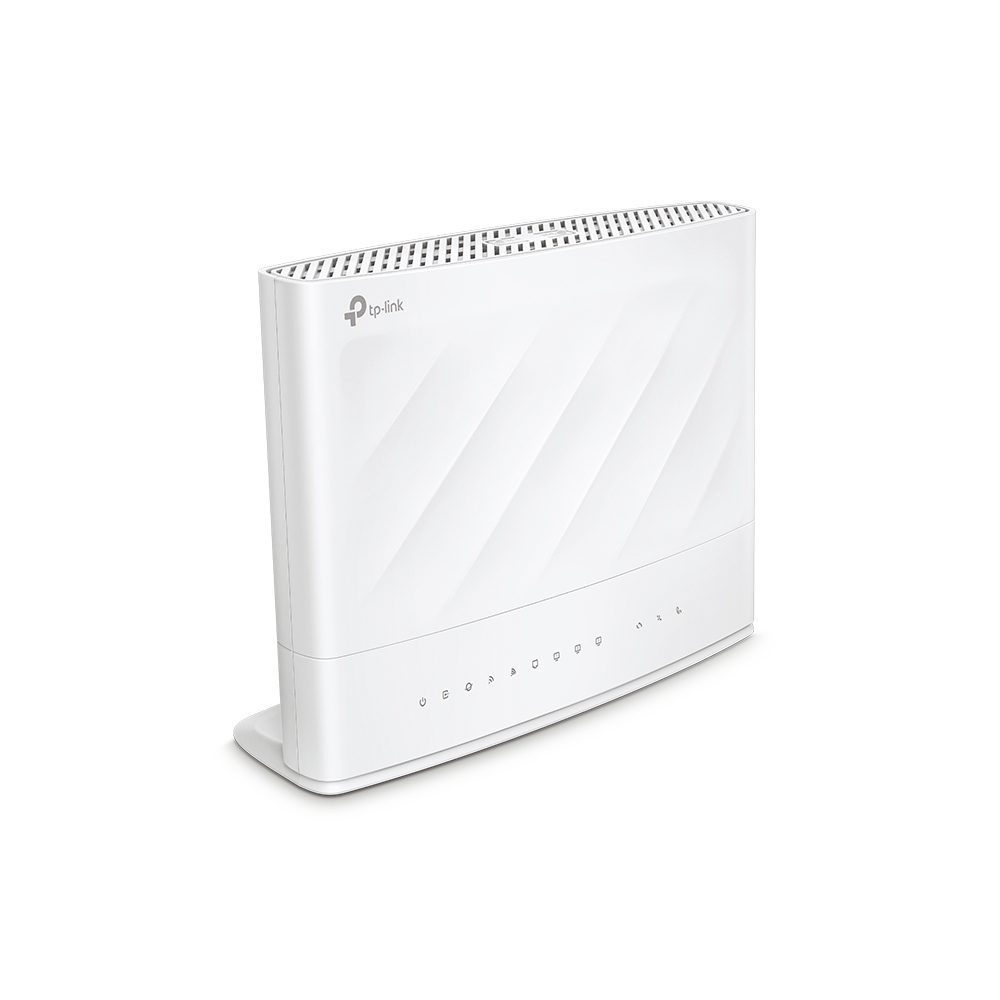
TP-Link VX230v
AX1800 Dual-Band Wi-Fi 6 VDSL/ADSL Modem Router - Ideal for nbn FTTN and FTTB technologies
Tech Specs
- 802.11ax Technology: Create a seamless Wi-Fi network in your home with the combination of OFDMA, MU-MIMO, and Beamforming technologies.
- VDSL2 35b Technology: The latest VDSL2 35b tech delivers internet speeds of up to 350 Mbps, while G.vector technology ensures a reliably stable connection.
- EasyMesh: Provides whole-of-home Wi-Fi coverage with standard mesh technology.
- Interface: 1 DSL port + 1 Gigabit WAN port + 3 Gigabit LAN ports + 1 FXS port + 1 USB 2.0 port.
- TR-069 & TR-369 Remote Management: TR-098, TR-181, TR-111, TR-104 and TR-143 supported.
- Package Contents: Modem Router VX230v, RJ45 Ethernet Cable, Power Adapter, RJ11 Cable, Splitter, Quick Installation Guide
Download full specs

TP-Link HB210 Pro
BE3600 Whole Home Mesh WiFi 7 Router - Ideal for nbn FTTP, HFC, FTTC and Fixed Wireless technologies
Tech Specs
- 3.6 Gbps Dual Band WiFi 7: 4-stream dual band WiFi enables gaming, streaming, and high-speed downloading on multiple devices—all at the same time.*
- Uniform 2.5 GbE Ports: Break through the 1 Gbps bottleneck and take full advantage of your broadband plan with speeds up to 2.5 Gbps.△
- Multi-Link Operation (MLO): Achieve higher throughput for each device with lower latency and higher reliability via multi-link aggregation across two bands.†
- Superior Coverage: High-performance antennas and beamforming technology combine to extend strong, reliable WiFi throughout your home.
- Whole Home Coverage: Create a smart mesh network with seamless coverage and greater flexibility based on standard mesh technology.‡
- Enhanced Security: WPA3 encryption, Multi-SSID, and parental controls provide a personalised and safer online experience.†
- Easy Setup and Use: Set up your mesh network in minutes with the powerful Aginet app.
- Remote Management: Supports TAUC (TP-Link Aginet Unified Cloud, based on TR-369) along with TR-069, TR-098, TR-181, TR-111, and TR-143 protocols.
Download full specs
Pre-configured and delivered
Pick your plan and add a modem/router when you're signing up. We'll pre-configure your modem/router ready to plug and play, and send it directly to your door.
-
nbn ready device
Connect to any nbn technology
-
Dual band WiFi 6
AX1800 WiFi - 1201Mbps via 5GHz and 574Mbps via 2GHz
-
Multiple device support
Enhanced wireless experience

BYO modem?
Want to use your own modem/router? No problems. You'll just need to make sure that your modem/router is compatible with your type of nbn connection. Your modem/router must be compatible with a PPPoE configuration.
For a Fibre to the Node (FTTN) or Fibre to the Basement (FTTB) nbn service, you'll need a VDSL capable modem. If this all sounds a bit jibberish, we've put together some recommended devices below:
nbn ready modem: Plug-and-play for seamless internet
Need a reliable modem for fast internet speeds for your nbn plan? MATE has got you covered! Choose a pre-configured, plug-and-play modem for hassle-free setup, or bring your own (BYO) modem if you prefer.
Why choose MATE's nbn-ready modem?
- ✓ Pre-configured and delivered ‒ Just plug it in and connect.
- ✓ Dual-band WiFi 6 (AX1800) ‒ Faster speeds, wider range.
- ✓ Supports all NBN connection types ‒ FTTP, HFC, FTTN, FTTC and more.
- ✓ Multiple device support ‒ Ideal for work, streaming and gaming.
- ✓ Advanced security features ‒ Keep your network safe.
Choose the best router for nbn connections ‒ recommended by us!
To check which modems you need for FTTN and FTTB take a look at our recommended nbn modems. But if you've got an FTTP, HFC, FTTC or Fixed Wireless connection, you may need a different set of recommended nbn modems/routers.
FAQs
What is an nbn-ready modem?
An NBN-ready modem is a modem/router compatible with Australia's National Broadband Network (NBN). It supports different connection types such as FTTN, FTTP, HFC, and more, ensuring seamless internet access.
Do I need a new modem for nbn?
It depends on your existing modem. If your modem is over five years old or not VDSL2-compatible, you may need a new one to connect to the nbn.
What's the best modem for nbn?
The best modem depends on your NBN connection type. For FTTN and FTTB, you'll need a VDSL2-compatible modem. For FTTP, HFC, and Fixed Wireless, a standard modem/router that has a WAN port should work.
How do I set up my MATE nbn modem?
Simply plug and play! We pre-configure the modem before shipping, so you just need to connect it to your nbn box or phone line, wait for the lights to stabilise, and start browsing.
What's the best modem for fast WiFi speeds?
Take a peek at some of our recommendations below:
Can I use my own modem with MATE nbn?
Yes! Just ensure it's compatible with your connection type. If you're unsure, check with our support team.
NBN-Ready Modems from MATE
Pre-configured modems that work with all NBN connection types. Plug in, connect, done.
What’s Included
- Price: $165 (one-time payment, included in your setup)
- Delivery: Free shipping Australia-wide
- Setup: Pre-configured for MATE’s network, just plug it in and play
- Support: MATE’s tech team can help if issues arise
- Ownership: You own it outright, it’s not a rental
Choose Your Modem
MATE offers two TP-Link modem options, both $165:
TP-Link VX230v (VDSL2 Modem-Router)
Best For: FTTN and FTTB connections
Key Features:
- AX1800 Dual-Band WiFi 6
- VDSL2 modem built in (required for FTTN and FTTB)
- 1 DSL port, 1 gigabit WAN port, 3 gigabit LAN ports, 1 FXS port and 1 USB 2.0 port
- MU-MIMO and beamforming
- Coverage for medium-sized homes
TP-Link Archer HB210 Pro (Ethernet Router)
Best For: FTTP, HFC, FTTC, Fixed Wireless connections
Key Features:
- BE3600 dual-band WiFi 7
- Ethernet WAN port for nbn connection box technologies
- Uniform 2.5GbE ports
- Multi-Link Operation (MLO) and beamforming
- Coverage for medium-sized homes
Not sure which you need? FTTN and FTTB connections require the VX230v — FTTP, HFC, FTTC and Fixed Wireless connection types take the HB210 Pro.
5 More Reasons to Get a Modem from MATE
Pre-Configured for MATE
Everything’s already configured for MATE — no fiddling with usernames, passwords, or VLAN settings. Just plug it in and you’re online.
Guaranteed Compatibility
We’ve tested these modems with every NBN connection type, so you know they’ll work with MATE’s network from day one.
MATE Support Included
If something goes wrong, our tech team can help troubleshoot. With BYO modems, we can’t always provide device-specific support.
No Rental Fees
The $165 is a one-time purchase. You own the modem outright — no ongoing rental charges, ever.
Quality Hardware
TP-Link makes reliable gear. These aren’t budget modems — they’re solid mid-range devices built to handle a busy home network.
Compatible with All NBN Connection Types
Our modems work with every NBN connection type:
- FTTP (Fibre to the Premises): Use HB210 Pro
- HFC (Hybrid Fibre Coaxial): Use HB210 Pro
- FTTN/FTTB (Fibre to the Node/Fibre to the Building): Use VX230v
- FTTC (Fibre to the Curb): Use HB210 Pro
- Fixed Wireless: Use HB210 Pro
When you sign up, we’ll send the right modem for your connection type. No guesswork required.
Setup Guide
Setting up your MATE modem is straightforward:
For FTTP, HFC, FTTC and Fixed Wireless (HB210 Pro)
- Plug the power cable into your modem and turn it on
- Connect the ethernet cable from your NBN Connection Box to the modem’s WAN port (usually blue or marked ‘Internet’)
- Wait 2–5 minutes for the modem to sync
- Connect to the WiFi network (name and password are on the modem’s label)
- You’re online
For FTTN and FTTB (VX230v)
- Plug the power cable into your modem and turn it on
- Connect the phone cable from your wall socket to the modem’s DSL port
- Wait 2–5 minutes for the modem to sync (DSL light will stop flashing when ready)
- Connect to the WiFi network (name and password are on the modem’s label)
- You’re online
Need help? Check out our full modem setup guide or contact MATE support.
Frequently Asked Questions
Do I Have to Get a Modem from MATE?
No. You can bring your own modem if it’s compatible with your NBN connection type. Just make sure it’s NBN-ready and supports your speed tier. See our modem vs router guide for BYO advice.
Is the Modem Free?
No — the modem costs $165, included in your setup. It’s a one-time purchase, not a rental. You own it outright.
Can I Use This Modem with Other Internet Providers?
Yes. While it’s pre-configured for MATE, you can reconfigure it for other nbn providers if you switch. It’s a standard nbn modem/router, not locked to MATE.
What If My Modem Stops Working?
Contact MATE support. If it’s a hardware fault within warranty, we’ll help arrange a replacement. TP-Link modems typically come with a 1–3 year manufacturer warranty.
Will This Modem Work with nbn 100 or nbn 250?
It depends on your nbn connection type and address eligibility. The VX230v is designed for FTTN and FTTB services, while the HB210 Pro is designed for FTTP, HFC, FTTC and Fixed Wireless services. We’ll send the right device for your connection type.
Does the Modem Include WiFi?
Yes. Both include built-in WiFi. The VX230v is a modem-router, while the HB210 Pro is a router for nbn connection box technologies. You don’t need to buy a separate router.
How Many Devices Can Connect at Once?
Both modems handle 20+ devices at once. MU-MIMO technology helps keep things running smoothly when everyone’s online at the same time.
Can I Change the WiFi Name and Password?
Yes. Log into the modem’s settings via your web browser (instructions included) and customise the WiFi network name and password.
Which Modem Will MATE Select For Me?
We automatically send the right modem based on your address’s nbn connection type. FTTN and FTTB addresses get the VX230v. FTTP, HFC, FTTC and Fixed Wireless connection types get the HB210 Pro. You don’t need to choose — we’ve got it sorted.
Ready to get connected? Sign up to a MATE NBN plan and we’ll send you a modem that’s ready to go from day one.
Want to know more about modems and routers? Check out our complete modem vs router guide for BYO advice and technical details.