If you’re an existing MATE customer, you can upgrade to Fibre in the myMATE app or self-care portal, as long as your address is eligible.
Want to know more about the benefits of Fibre to the Premises (FTTP)? Check out our Fibre Upgrade page.
Which plans can I upgrade on?
It depends on how your home connects to the nbn right now. Not sure which one you have? No worries, we’ll check this for you when you sign up.
| Your connection now |
Plans you can choose |
Can I cancel or change plans? |
| Fibre to the Curb (FTTC) |
From Crikey nbn 25/10 |
Yes, anytime. No fees. |
| Fibre to the Node or Building (FTTN/B) |
From No Worries nbn 500/50 |
You can cancel anytime with no fees. You’ll need to stay on nbn 500/50 or faster for 12 months. |
See every eligible plan, with its typical evening speeds, in our Fibre Upgrade eligible plans FAQ.
⚠️ Upgraded before 10 December 2025? Different rules apply. A $220 Early Termination Fee applies if you cancel, or move to a plan slower than nbn 500, within 12 months of your upgrade. Before you cancel, move or change plans,
get in touch with us and we’ll check if a fee applies to you.
Steps at a glance
2
Select “Add New Service”
3
Choose “NBN”, then “Upgrade to Fibre”
4
Select your new plan (only plans eligible for your address will show)
5
Set your cancellation preference for your current nbn service
📱Upgrade to Fibre using the myMATE app (best on mobile devices)
Use your account number (also known as your MATE code) to log in to our myMATE app.
Download the myMATE app
💡 Tip: If you’ve forgotten your app password, use the recovery option in the app.
1
Click “add new service” and follow the prompts.
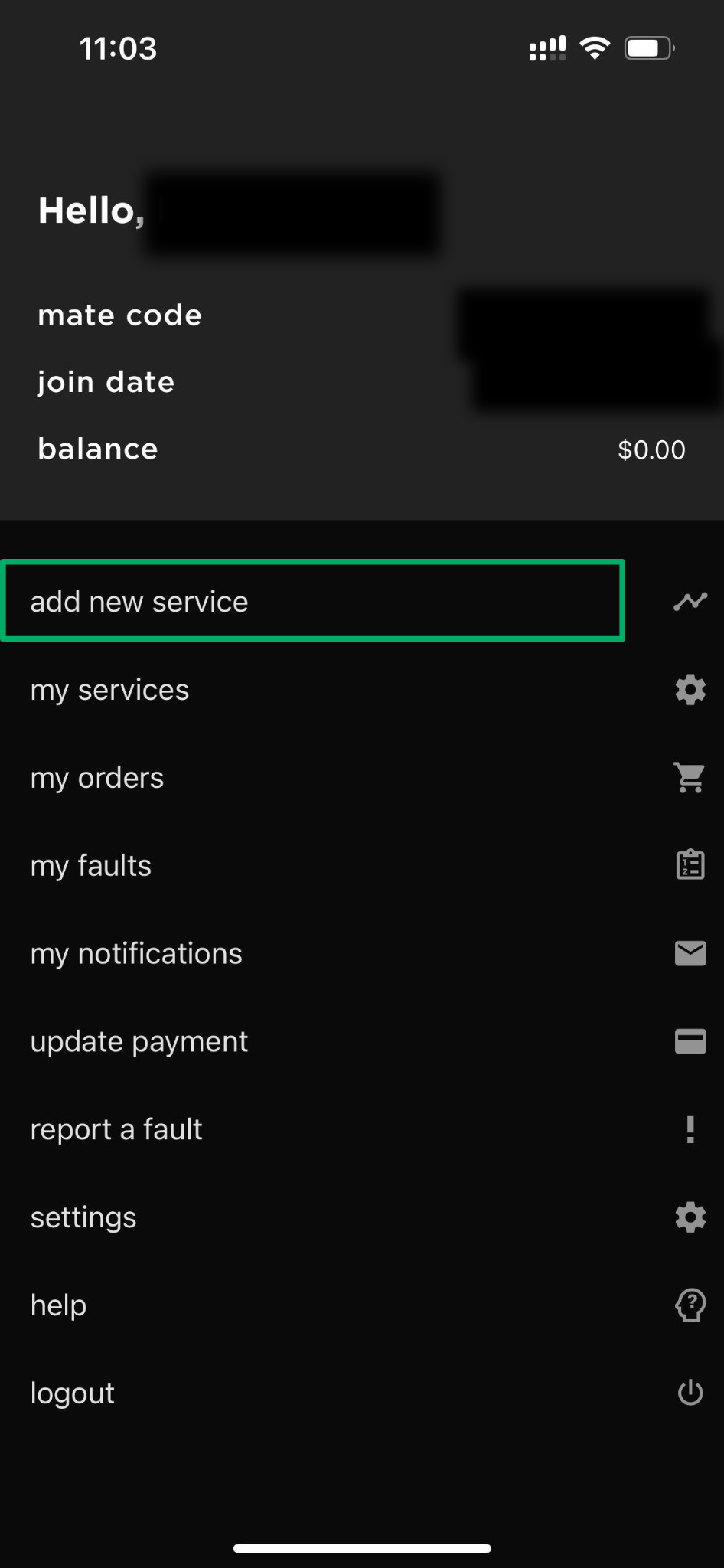
2
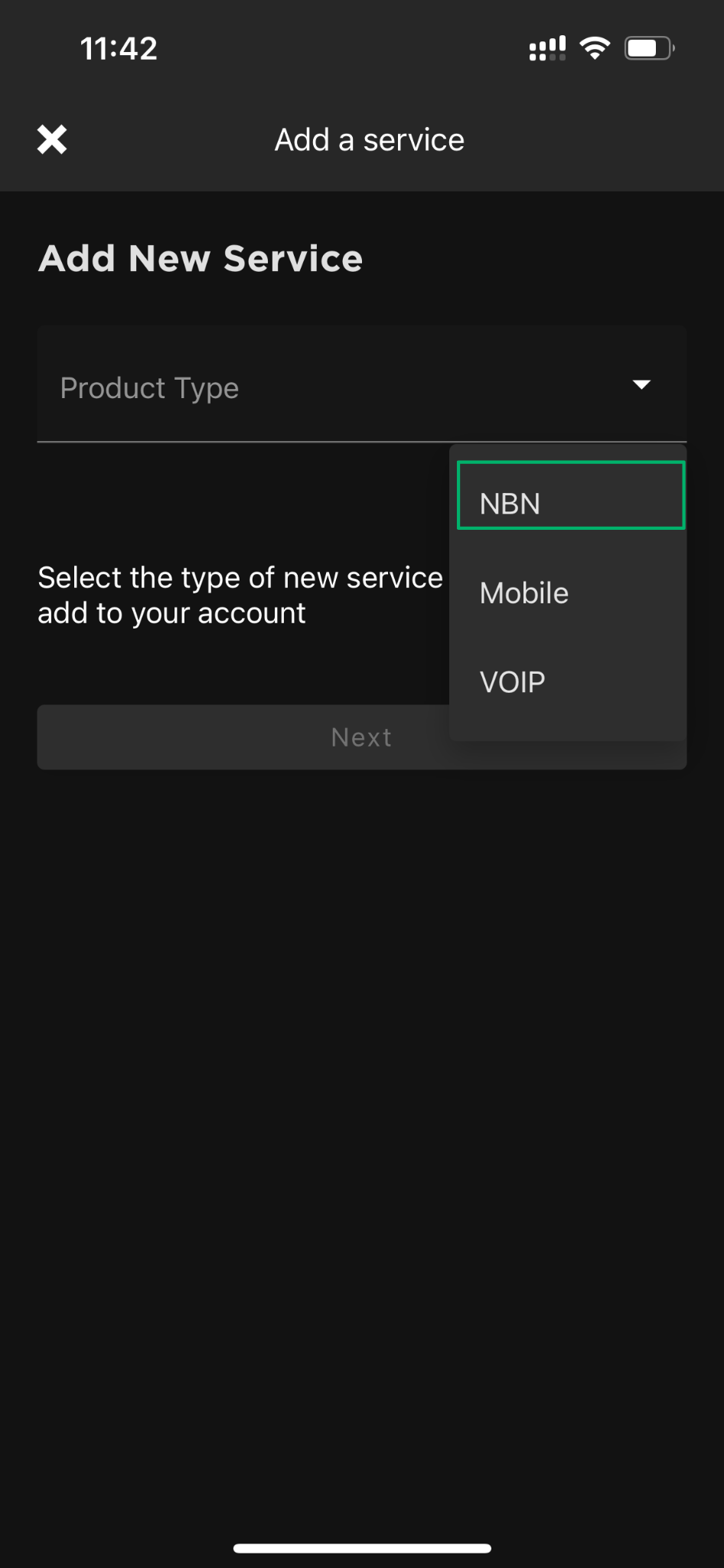
Select “NBN” and tap “Next”.
3
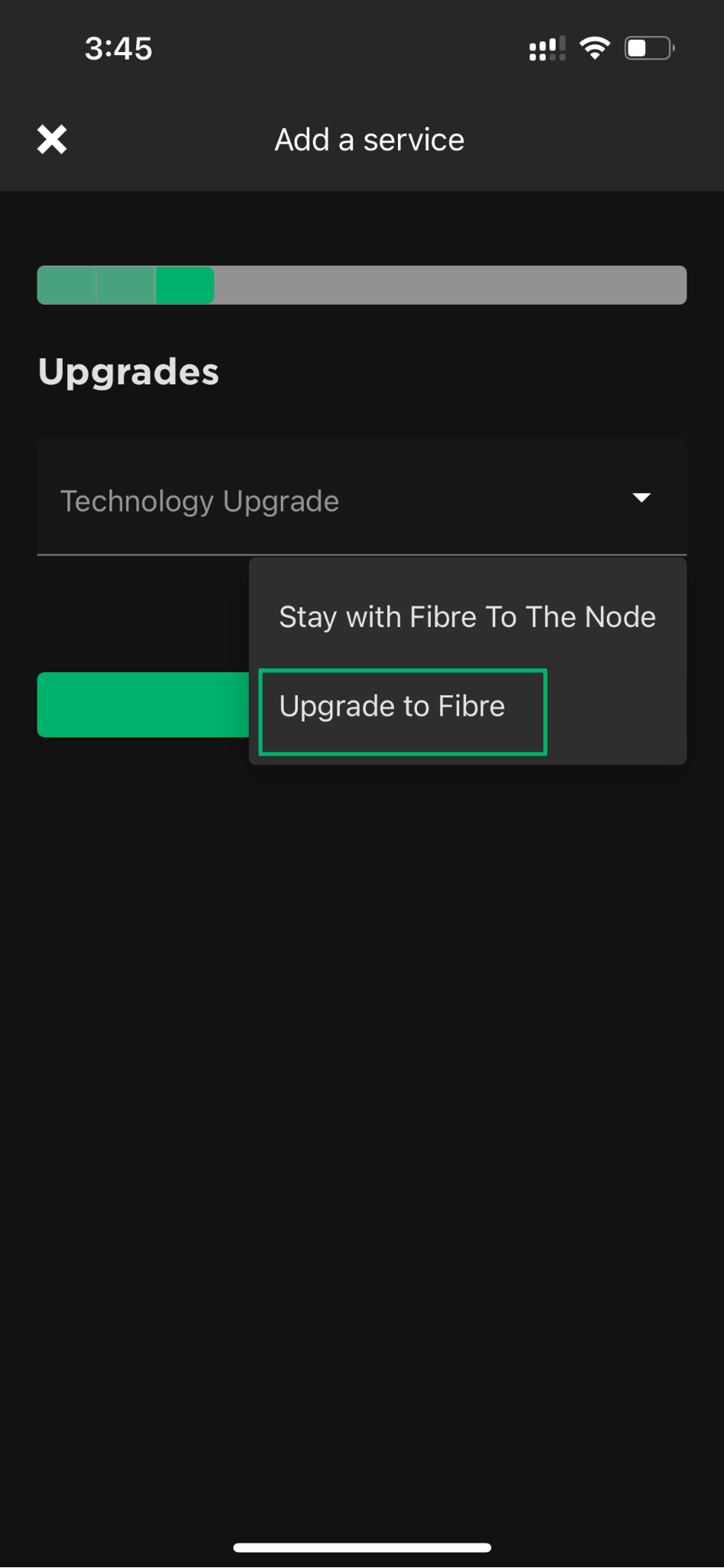
Select “Upgrade to Fibre” and tap “Next”.
4
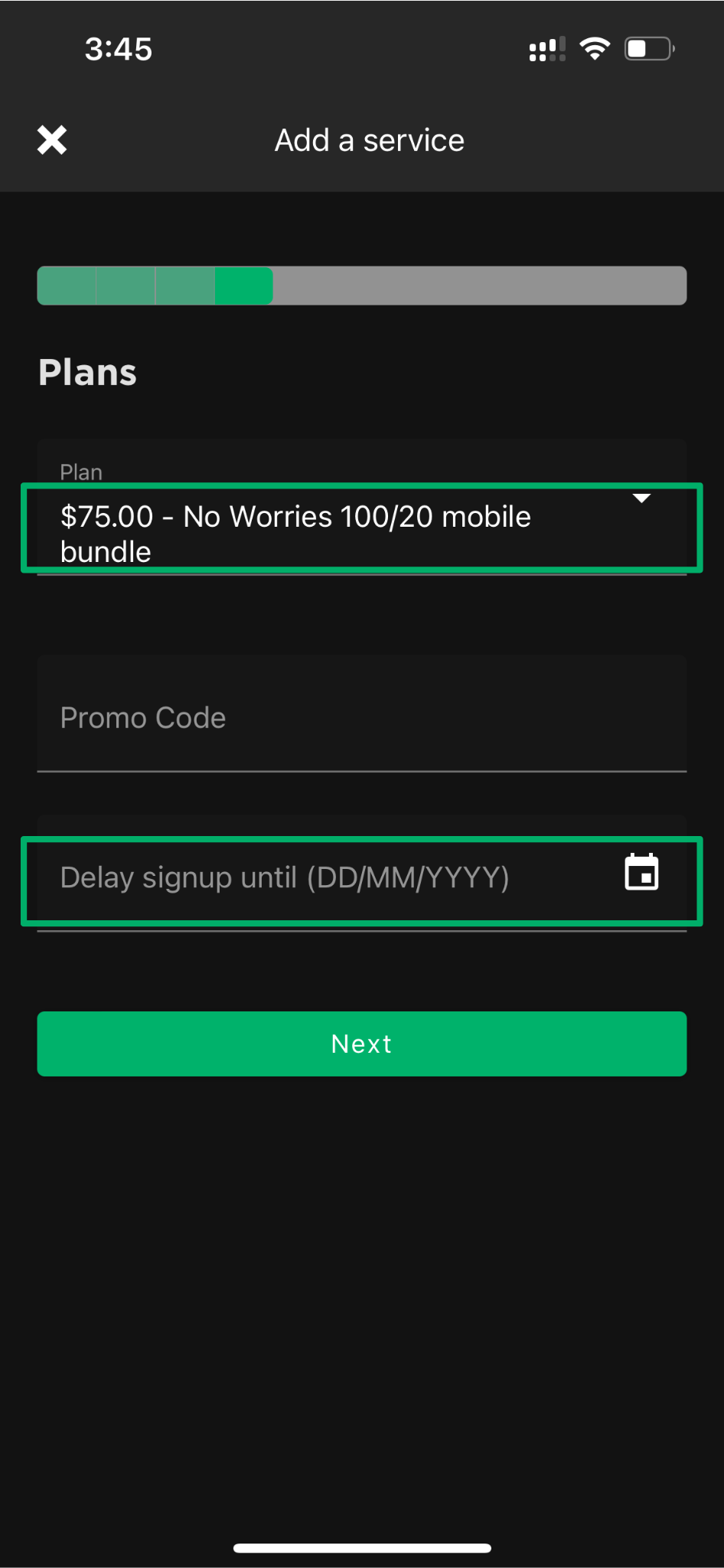
Choose your new Fibre plan. Only plans eligible for your address will show.
5
Confirm the cancellation of your current nbn service by selecting:
•“When this subscription activates“
•“Offline“
💡 Tip: Your new plan starts billing once it’s connected. Choosing these options means you won’t be billed for both services.
6
Review, confirm and submit your order.
💻Upgrade to Fibre using the self-care portal (best on desktop)
Use your account number (also known as your MATE code) to log in to our self-care portal.
1
Click “add a new service” and follow the prompts.
2
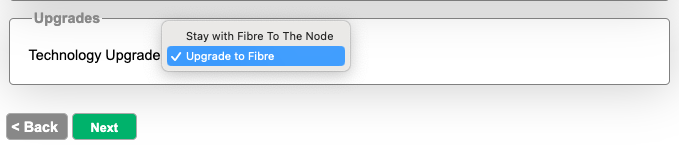
In the Upgrades section, select “Upgrade to Fibre”.
3
Select your new plan. Only plans eligible for your address will show.
4
Confirm the cancellation of your current nbn service by selecting:
•“When this subscription activates“
•“Offline“
💡 Tip: Your new plan starts billing once it’s connected. Choosing these options means you won’t be billed for both services.
5
Review, confirm and submit your order.
❓Can’t see the “Upgrade to Fibre” step? Here’s why
If you’re upgrading in the myMATE app or self-care portal and don’t see the “Upgrade to Fibre” option, don’t worry. Your address may already be approved for a fast-track Fibre upgrade.
If so, you’ll skip straight to choosing your new Fibre plan. You won’t need to pick an upgrade type or agree to a contract term. Your plan will be month to month, with no installation cost and no minimum term.
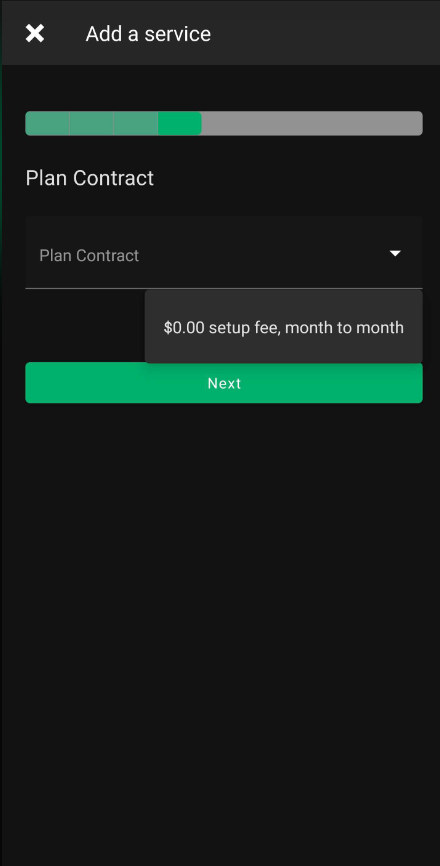
Just follow the steps to choose your new plan, confirm your preferences and submit your order. Your current service stays connected until the upgrade is complete. There may be a short drop-out while it switches over, but we’ll keep you in the loop.
💬 Need help? Got a question about upgrading to Fibre? Our Aussie-based support team is happy to help.
Get in touch with us here.


