Not sure which nbn speed tier is right for you? Here’s what nbn 25, 50, 100, 250, and 1000 actually mean for streaming, gaming, working from home, and how many devices you can run at once.
TL;DR – Quick Takeaways
- Upgrading is easy with MATE — change plans anytime, no contract penalties
- NBN 50 is the sweet spot for most households — it can handle 2-3 people streaming, browsing, and video calling at once
- NBN 100 suits 4+ people, serious gamers, or anyone working from home with large file uploads
- NBN 250 and 1000 are for power users and large households who want consistently fast speeds across every device
- Your connection type matters — FTTP installations can deliver all speeds reliably, FTTN might cap at NBN 50-100
NBN Speed Tiers: Quick Comparison
Here’s what each NBN speed tier actually delivers in real life:
| Speed Tier | Download/Upload | Connection Types | Best For | Users |
|---|---|---|---|---|
| NBN 25 | 25/5 Mbps | All | Light browsing, email, SD streaming | 1-2 |
| NBN 50 | 50/20 Mbps | All | HD streaming, video calls, casual gaming | 2-3 |
| NBN 100 (Legacy tier) |
100/20 Mbps | FTTN/FTTC/FTTB only | 4K streaming, gaming, WFH | 4-6 |
| NBN 500 (Replaced NBN 100) |
500/50 Mbps | FTTP/HFC only | Multiple 4K streams, fast downloads | 4-8 |
| NBN 750 (Replaced NBN 250) |
750/50 Mbps | FTTP/HFC only | Heavy usage, large households | 6-10 |
| NBN 1000 | 1000/100 Mbps | FTTP/HFC only | Zero slowdowns, instant downloads | 8-10+ |
| NBN 2000 | FTTP: 2000/200 HFC: 2000/100 |
FTTP/HFC only | Professional content creation | 10+ or pros |
September 2025 Speed Upgrades: What Changed?
In September 2025, nbn Co launched the “Accelerate Great” program, dramatically increasing speeds on FTTP and HFC connections at no extra cost:
nbn 100 → nbn 500 (FTTP/HFC only)
- 5x faster downloads (100 → 500Mbps)
- 2.5x faster uploads (20 → 50Mbps)
- Same price as old nbn 100
- If you had nbn 100 on FTTP/HFC, you were automatically upgraded
nbn 250 → nbn 750 (FTTP/HFC only)
- 3x faster downloads (250 → 750Mbps)
- 2x faster uploads (25 → 50Mbps)
- Same price as old nbn 250
- Automatic upgrade for existing nbn 250 customers
nbn 1000 upload boost
- 2x faster uploads (50 → 100Mbps)
- Download speed stayed the same (1000Mbps)
nbn 2000 launched (new tier)
- 2000Mbps download
- FTTP: 200Mbps upload
- HFC: 100Mbps upload
Important: If you have FTTN, FTTC, or FTTB, these upgrades don’t apply to you. Your maximum speed is still nbn 100/20. However, you might be eligible for a free upgrade to FTTP (see below).
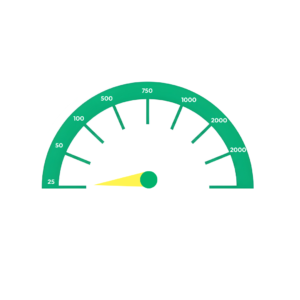
nbn 25: Basic Speed
What You Get
Download speeds up to 25Mbps, upload speeds up to 5Mbps.
Real-World Performance
- Streaming: One HD stream (Netflix, Stan) runs smoothly. Two streams may occasionally buffer.
- Downloads: A 1GB file takes about 5-6 minutes. A 10GB game download takes around an hour.
- Gaming: Online gaming works (latency matters more than speed), but downloading new games is slow.
- Video calls: One Zoom call is fine. Multiple people on video calls at once may have issues.
- Working from home: Email, documents, and syncing work to the cloud are well covered. Large file uploads are slow.
Who Should Get nbn 25
- Single person or couple
- Light internet users (browsing, email, occasional streaming)
- Retirees or people on tight budgets
- Not streaming regularly or working from home
- People who only occasionally stream or work from home
Honest take: NBN 25 is the most affordable entry point, but it’s best suited to people who don’t rely on being online. If your household streams, video calls, or works from home regularly, NBN 50 delivers a noticeably better experience for a small step up in price.
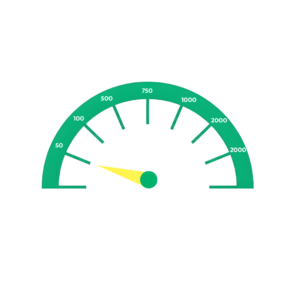
nbn 50: The Sweet Spot
What You Get
Download speeds up to 50Mbps, upload speeds around 20Mbps.
Real-World Performance
Streaming: 2-3 users streaming in HD quality simultaneously without buffering. 4K streaming works for one device.
Downloads: A 1GB file takes about 3 minutes. A 10GB game download takes 25-30 minutes.
Gaming: Online gaming works great. Game downloads are reasonable.
Video calls: Multiple people on video calls at once — no problem.
Working from home: Cloud apps, video conferencing and managing file uploads all work well. Good for one person WFH.
Who Should Get nbn 50
- Families with 2-3 people
- Regular streamers (Netflix, Disney+, Stan)
- Casual to moderate gamers
- One person working from home
- Typical Australian household usage
Honest take: nbn 50 is the most popular speed tier in Australia for good reason. It handles everything most households do without slowdowns, and the price is reasonable.
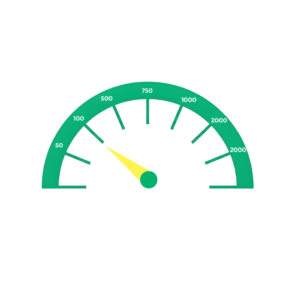
nbn 100: Legacy Tier (FTTN/FTTC/FTTB Only)
What You Get
Download speeds up to 100Mbps, upload speeds around 20Mbps.
Important: As of September 2025, nbn 100 is only available on FTTN, FTTC, and FTTB connections. If you have FTTP or HFC, you get nbn 500 instead (5x faster for the same price).
Real-World Performance
- Streaming: Multiple 4K streams running at once — everyone in the house can watch something different without any buffering.
- Downloads: A 1GB file downloads in around 90 seconds. A 10GB game takes around 12–15 minutes.
- Gaming: Built for serious gamers. Fast downloads, smooth online play, game updates finish quickly.
- Video calls: Multiple video calls running simultaneously without lag or drop in quality.
- Working from home: Excellent for two or more people to WFH and handle large file uploads, cloud backups, and video conferencing at the same time.
Who Should Get nbn 100
- FTTN/FTTC/FTTB customers (this is your maximum speed)
- Families with 4-6 people
- Households with multiple people working or studying from home
- Serious gamers
- Heavy streamers (4K, multiple devices)
Honest take: nbn 100 is good, but if you have FTTP or HFC, you should be on nbn 500 instead (5x faster for the same price). If you’re on FTTN/FTTC and nbn 100 is too slow, check if you’re eligible for a free upgrade to FTTP.
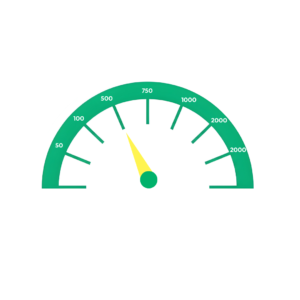
nbn 500: The New Sweet Spot (FTTP/HFC Only)
What You Get
Download speeds up to 500Mbps, upload speeds up to 50Mbps.
This tier replaced nbn 100 for FTTP and HFC customers in September 2025. If you had nbn 100 on FTTP/HFC, you were automatically upgraded to nbn 500 at no extra cost — that’s 5x faster downloads and 2.5x faster uploads.
Real-World Performance
Streaming: As many 4K streams as you want. 10+ devices streaming simultaneously without slowdowns.
Downloads: A 1GB file takes about 15-20 seconds. A 10GB game download takes 2-3 minutes. A 100GB game takes about 25-30 minutes.
Gaming: Game downloads are extremely fast. A 25GB Fortnite patch downloads in about 7 minutes (vs 36 minutes on nbn 100).
Video calls: The entire household could be on video calls and you wouldn’t notice any impact.
Working from home: Perfect for multiple WFH setups. Large file uploads, cloud backups, video conferencing — all run flawlessly.
Who Should Get nbn 500
- Anyone on FTTP or HFC (this is the default fast tier now)
- Families with 4-8 people
- Multiple people working from home
- Gamers who hate waiting for downloads
- Households with heavy streaming usage
- Content creators with moderate upload needs
Honest take: nbn 500 is incredible value. It costs about the same as nbn 100 used to cost but delivers 5x the speed. If you have FTTP or HFC and you’re still on nbn 50, the upgrade to nbn 500 is only $20-30 more per month and gives you 10x the speed. For most households, nbn 500 is the “never worry about it” tier.
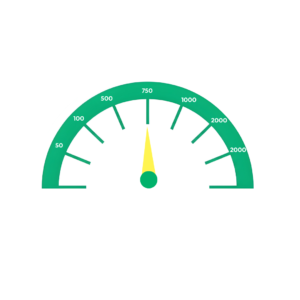
nbn 750: Superfast Speed (FTTP/HFC Only)
What You Get
Download speeds up to 750Mbps, upload speeds up to 50Mbps.
This tier replaced nbn 250 in September 2025. Existing nbn 250 customers were automatically upgraded to nbn 750 — that’s 3x faster downloads and 2x faster uploads at the same price.
Real-World Performance
Streaming: Unlimited 4K streaming. You could run a small streaming service from your house.
Downloads: A 1GB file takes about 10-12 seconds. A 10GB game download takes 1-2 minutes. A 100GB game downloads in about 15-20 minutes.
Gaming: Game downloads are nearly instant. Updates finish before you notice them.
Video calls: Not relevant — even nbn 100 handles unlimited calls. nbn 750 is about raw speed.
Working from home: Excellent for professional work. Large file uploads, video rendering, cloud syncing — everything happens fast.
Who Should Get nbn 750
- Large households (6-10 people with heavy usage)
- Power users who hate waiting
- Professional content creators (video editors, photographers)
- Small home businesses
- People who regularly download or upload massive files (50GB+)
Who Shouldn’t Get nbn 750
- Most people. nbn 500 is already extremely fast.
- If you’re not regularly moving 50GB+ files, nbn 500 is probably enough
Honest take: nbn 750 is fast. Like, genuinely fast. But the jump from nbn 500 to nbn 750 is less noticeable than the jump from nbn 100 to nbn 500. For most households, nbn 500 is the better value. Get nbn 750 if you know you need it (professional work, huge household, hate waiting) — otherwise, stick with nbn 500.
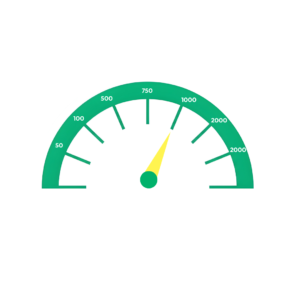
nbn 1000: Ultrafast Speed (Gigabit)
What You Get
Download speeds up to 1000Mbps (1Gbps), upload speeds up to 100Mbps.
Upload speed was doubled in September 2025 from 50Mbps to 100Mbps.
Real-World Performance
Streaming: Literally unlimited. The internet won’t be the bottleneck for anything streaming-related.
Downloads: A 1GB file takes about 8-10 seconds. A 10GB game download takes 1-2 minutes. A 100GB game takes about 10-15 minutes.
Gaming: Game downloads finish before you’ve made a cup of tea.
Video calls: The entire street could video call from your house and you’d be fine.
Working from home: Instant cloud syncs. Massive file uploads happen in minutes. Perfect for professional creative work or running multiple businesses from home. The 100Mbps upload (doubled from 50Mbps) makes a real difference for large file uploads.
Who Should Get nbn 1000
- Very large households (8-10+ people with heavy usage)
- Tech enthusiasts who want the absolute best
- Professional video production or high-end creative work
- People who regularly move hundreds of gigabytes
- Anyone who values their time and hates waiting
Who Shouldn’t Get nbn 1000
- Most people. nbn 500 or nbn 750 is already extremely fast.
- If you’re not sure whether you need nbn 1000, you probably don’t
Honest take: nbn 1000 is overkill for most people, but it’s amazing if you can justify the cost. The jump from nbn 750 to nbn 1000 is noticeable but not life-changing for typical use. The real value is the 100Mbps upload if you’re uploading large files regularly — that’s double nbn 500/750’s 50Mbps upload.
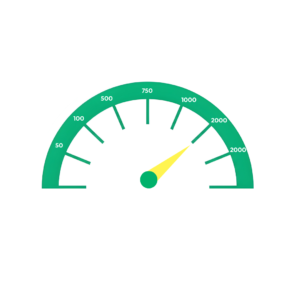
nbn 2000: Next-Level Speed (2Gbps)
What You Get
Download speeds up to 2000Mbps (2Gbps).
Upload speeds depend on your connection type:
- FTTP (Fibre to the Premises): Up to 200Mbps upload
- HFC (Hybrid Fibre Coaxial): Up to 100Mbps upload
This is a critical difference if you upload large files regularly.
Real-World Performance
- Streaming: You could run a streaming service from your house. Not relevant for residential use.
- Downloads: A 1GB file takes about 4-5 seconds. A 10GB game download takes 40-50 seconds. A 100GB 4K movie takes about 6-8 minutes.
- Gaming: Game downloads are essentially instant. Not actually faster for online gaming (latency matters more).
- Video calls: Not relevant — even nbn 100 handles unlimited calls.
- Working from home: This is where nbn 2000 shines for professionals:
- Video editors: Upload finished 4K projects in minutes, not hours
- Content creators: Upload YouTube videos, livestream backups, Twitch VODs incredibly fast
- Photographers: Sync massive RAW photo libraries to the cloud instantly
- Designers: Upload large design files to clients without waiting
Upload Speed: FTTP vs HFC — Why It Matters
FTTP: 2000/200 Mbps
- 200Mbps upload means a 10GB file uploads in about 6-7 minutes
- Perfect for video editors, content creators, professional photographers
- Significantly faster cloud backups
HFC: 2000/100 Mbps
- 100Mbps upload means a 10GB file uploads in about 12-13 minutes
- Still fast, but half the upload speed of FTTP
- Same upload speed as nbn 1000 on HFC
Bottom line: If you need nbn 2000 for downloading (massive game libraries, 4K media collections), HFC is fine. If you need it for uploading (video production, content creation), FTTP’s 200Mbps upload is significantly better than HFC’s 100Mbps.
Who Should Get nbn 2000
- Professional video editors uploading 4K/8K footage daily
- Full-time content creators (YouTube, Twitch streamers)
- Households with 10+ people all using internet heavily
- Tech enthusiasts who want the absolute bleeding edge
- People who move hundreds of gigabytes daily
- FTTP users who need the 200Mbps upload for professional work
Who Shouldn’t Get nbn 2000
Honestly, most people. nbn 2000 is overkill unless you:
- Upload massive files regularly (50GB+ files daily)
- Run a professional creative business from home
- Have genuine use cases for 2Gbps speeds
If you’re not sure whether you need nbn 2000, you probably don’t. nbn 1000 is already incredibly fast for 99% of users.
Honest take: nbn 2000 is a specialist speed tier for professionals and extreme power users. The download speed difference between nbn 1000 and 2000 is noticeable, but not life-changing for most tasks. The real value is the upload speed if you’re on FTTP — 200Mbps upload genuinely saves hours for video editors and content creators.
Which Speed Should You Get? Quick Recommendations
| Your Situation | Recommended Speed |
|---|---|
| Single person, light usage, tight budget | nbn 25 |
| Couple or small family (2-3 people) | nbn 50 |
| Regular streamers, casual gamers | nbn 50 |
| Family of 4-5 people | nbn 500 (FTTP/HFC) or nbn 100 (FTTN/FTTC) |
| Working from home (1 person) | nbn 50-100 |
| Multiple people WFH | nbn 500 (FTTP/HFC) or nbn 100 (FTTN/FTTC) |
| Serious gamer | nbn 500 (FTTP/HFC) or nbn 100 (FTTN/FTTC) |
| 4K streaming on multiple devices | nbn 500 (FTTP/HFC) or nbn 100 (FTTN/FTTC) |
| Large household (6+ people) | nbn 750 |
| Content creator (video editing, uploading) | nbn 750-1000 |
| Power user who hates waiting | nbn 750-1000 |
| Professional video editor uploading 4K/8K daily | nbn 2000 (FTTP preferred for 200Mbps upload) |
How to Know What Speed You Need
Count Your Users
As a general rule:
- 1-2 people → NBN 25 or 50
- 2-33-4 people → NBN 50 or 100
- 5-6 people → NBN 100
- 7+ people → NBN 250 or 1000
Think About Peak Usage
What happens in your house during the busiest internet time (usually evenings)?
- If multiple people stream different shows while someone games → you need NBN 100+
- If everyone’s just browsing or watching one show → NBN 50 is fine
Consider Work From Home Needs
Working from home changes your requirements:
- Video conferencing all day → NBN 50 minimum
- Large file uploads (design files, videos) → NBN 100+
- Multiple people WFH → NBN 100 minimum
Check Your Connection Type
Your NBN connection type limits your maximum speed:
- FTTP: Can get any speed up to NBN 1000
- HFC: Usually can get up to NBN 250, sometimes NBN 1000
- FTTN: Typically maxes out at NBN 50-100 (depending on how far your home is from the node)
- FTTC: Usually can get up to NBN 100
You can find out what type of connection your home has by searching your address on the NBN Co website.
How to Upgrade Your nbn Speed with MATE
Upgrading your nbn speed with MATE is straightforward:
- Log into your MATE account: visit your account dashboard
- Select ‘Change Plan’: Choose your new speed tier
- Confirm the change: The upgrade usually happens within 24 hours
- Your new speed activates: No technician visit needed, no service interruption
No penalties, no fees: Because MATE plans have no lock-in contracts, you can upgrade your service or jump to lower speeds anytime without exit fees or penalties.
Pro tip: If you’re unsure which speed you need, start with NBN 50 and upgrade if it’s too slow. With no plan change fees, moving up to the right plan costs nothing.
Can’t Get Faster Speeds? Upgrade Your Connection
If you’re on FTTN, FTTC, or HFC and want NBN 250 or NBN 1000 internet speeds, you might be able to upgrade to full fibre (FTTP) through NBN’s upgrade programs.
Two Upgrade Options
- NBN Fibre Connect (Free Upgrade)
NBN Co is proactively upgrading millions of homes from FTTN/FTTC/HFC to FTTP at no cost. If your area is eligible:
- NBN Co contacts you when Fibre Connect is available
- Installation is free
- Once upgraded, you can access NBN 250 and NBN 1000 speeds
Visit the NBN Co website to check if you’re eligible
- NBN Fibre Upgrade (Paid Upgrade)
If Fibre Connect isn’t available in your area yet, you can request a paid upgrade to FTTP:
- Costs vary depending on the complexity of your installation; factors like distance from the street and existing infrastructure affect the final price
- You’ll receive a quote before you decide whether to proceed
- Once upgraded, you have access to all speed tiers, including NBN 250 and 1000
Contact MATE to request a Fibre Upgrade quote.
Is a Fibre Upgrade Worth It?
Honestly, it depends:
Worth it if:
- You’re on FTTN and experience terrible speeds (under 25Mbps) due to distance from the node
- You need NBN 250 or 1000 for work, gaming and 4K streaming
- You’re planning to stay in your home long-term
- The upgrade cost is reasonable, and meets your needs and preferences
It could be worth skipping if:
- Your current speeds are meeting your needs
- The upgrade cost is out of your budget
- You might move soon
- You only use the internet lightly, and NBN 50 would be enough
For most people: If your current speeds work for you, let the free Fibre Connect program handle your installation. Only pay for an upgrade if you genuinely need higher speeds for work or have ongoing reliability issues.
Want more details? Check out our complete guide to FTTP and NBN’s fibre upgrade programs for everything you need to know about upgrading to full fibre.
Frequently Asked Questions
Will I actually get the advertised maximum speed?
It depends on your connection type. FTTP typically delivers very close to the maximum speed (95-100%). If you have an FTTN connection, the speeds you can achieve depend on how far your home is from the node; you might get the full speed if you’re close, or 50-80% if further away. Your provider should tell you your estimated speed during signup.
Why is my WiFi slower than my NBN speed?
Your NBN speed and your WiFi speed aren’t the same thing. WiFi performance depends on your modem, your distance from it, walls, interference, and the number of devices connected. To test your true NBN speed, plug directly into your modem via an Ethernet cable.
Does NBN speed affect gaming lag?
Not directly. Lag (latency/ping) is more important than raw speed for online gaming. Even NBN 25 has enough bandwidth for smooth online play; the issue is usually latency or WiFi interference. That said, faster speeds help with game downloads and updates.
Can I get NBN 1000 on any connection type?
No. NBN 1000 requires FTTP (Fibre to the Premises). Some HFC connections can get NBN 1000, but it’s not guaranteed. FTTN, FTTC, and Fixed Wireless cannot deliver NBN 1000 speeds. Contact us to see if you can upgrade to a FTTP connection.
What’s the difference between download and upload speed?
Download speed is how fast you receive data (streaming, browsing, downloading files). Upload speed is how fast you send data (uploading files, video calls, cloud backups). Most NBN plans have lower upload speeds than download speeds, except for some NBN 1000 plans, which offer symmetrical speeds.
Is NBN 50 enough for 4K streaming?
Yes, but only for one 4K stream at a time. Netflix recommends 25Mbps for 4K, so NBN 50 can handle one 4K stream plus some other light usage. If you want multiple 4K streams running simultaneously, NBN 100 is the better fit.
Will a faster NBN plan improve my WiFi coverage?
No. NBN speed and WiFi coverage are separate things. A faster plan won’t extend your WiFi signal or fix dead spots. For better coverage, you need a better modem/router or a mesh WiFi system.
How much speed do I need for Zoom calls?
Zoom recommends internet speeds of 3-4Mbps to maintain HD-quality video calls. NBN 25 can handle 3-4 people on Zoom calls simultaneously. NBN 50 easily handles 10+ people on calls at once. Speed isn’t usually the bottleneck for video calls, upload speed and latency matter more.
Can I downgrade if the speed is too fast?
Yes. With MATE’s no-contract plans, you can downgrade to a slower tier anytime without penalties. Switching takes minutes through your customer portal; however, it can take up to 24 hours for your service to update to the new speeds.
What speed do I need for smart home devices?
Smart home devices, including cameras, doorbells, lights, and speakers, use very little bandwidth individually, maybe 1-5Mbps total for a whole smart home setup. The real consideration is the number of devices connected at once. Our NBN 50 Plan is the minimum package you need to handle several smart devices alongside normal household usage without issue.
Does the weather affect NBN speeds?
It depends on your connection type: FTTP (full fibre) isn’t affected by the weather. FTTN can slow down during heavy rain if there’s water in old copper connections. HFC is generally weather-resistant. Fixed Wireless can be affected by severe weather.
What’s the typical evening speed?
NBN providers report ‘typical evening speeds’, the speed you’ll actually get during the busiest times (7pm-11pm). MATE’s typical evening speeds are consistently high because we don’t oversell our network capacity.
Can I get faster speeds than NBN 1000?
Currently, NBN 1000 (1Gbps) is the fastest residential NBN speed tier available in Australia. NBN Co has tested faster speeds (2Gbps, 10Gbps), but they’re not yet available to consumers. For most people, NBN 1000 is more than enough.
What’s the best NBN speed for a family?
It depends on your usage and how responsive you expect your connection to be. For most families, our NBN 50 package suits up to 2-3 people with moderate usage. If you have a large family with more demanding online needs, such as working from home, streaming, or gaming, consider our NBN 100 plan as a minimum.
Ready to choose your speed? Check out MATE’s NBN plans and pick the speed tier that fits your household. All plans have no lock-in contracts, so you can upgrade or downgrade anytime.
Want to know more about NBN 50 specifically? See our complete NBN 50 guide for detailed info on Australia’s most popular speed tier.
Ready to choose your speed? Check out MATE’s nbn plans and pick the speed tier that fits your household. All plans have no lock-in contracts, so you can upgrade or downgrade anytime.
Want to know more about your nbn connection type? See our complete guide to nbn connection types (FTTP, HFC, FTTN, FTTC) to understand which speeds you can get.


