
Christmas Is Coming: How to Get Your Home Network Ready for 10 Extra Devices
With Christmas right around the corner, the time for exchanging gifts with family and friends is fast approaching. And for many people, this will mean being on the receiving end of some exciting high-tech gadgets. That being said, if your household is set for an influx of new smart devices, you’ll need to make sure your home internet network can handle the extra weight.
Whether you’re expecting some wireless earbuds, a Bluetooth speaker, an Apple TV, or other tech gifts, in this blog we walk you through some of the things you can do to be tech-ready come Christmas morning. Add visiting family’s phones and tablets, and it’s easy to end up with 10 extra devices on your network on Christmas Day. Here’s how to get your Christmas WiFi ready before the 25th.
TLDR: your 5-point Christmas WiFi checklist
- Check your router’s age. Older than four or five years? Consider WiFi 6, WiFi 7 or mesh.
- Update your router’s firmware before the big day.
- Set up a guest network for visitors and new smart gadgets.
- Set up and update new devices early, before they’re wrapped.
- Check your plan’s speed tier suits a busier house.
Why your Christmas WiFi struggles
Aussie homes are already busier online than ever. According to the ACMA’s 2025 How we use the internet report, Australian adults used an average of 4.1 different types of devices to go online, up from 3.7 the year before. Four in ten (40%) used five or more devices, up from 30%, and 64% went online with a smart TV.
Christmas then piles on new gadgets, visitors’ phones and big day-one updates, usually all at once.
When there are too many devices on WiFi at the same time, they all share the same airtime, and everything slows down. So, how many devices can my WiFi handle? For more on what causes slowdowns at busy times, read about why your nbn slows at night.
Your pre-Christmas network checklist
Check the data allowance on your nbn plan
The first thing you need to do is check that your current internet plan can support the added data demands of the new tech gifts that you plan on connecting. Many nbn broadband plans come with a set data allowance each month, and if you go over this, you can expect to see your internet speed drop to a glacial pace. If you think you might reach your limit with your new Christmas tech, it might be worth upgrading to an unlimited data nbn plan. All MATE nbn plans come with unlimited data, so new gadgets and big Christmas downloads won’t eat into an allowance.
Check your nbn speed tier
At the same time, you’re going to want to check that the download and upload speeds of your nbn plan are the best fit for your nbn connection type. Depending on whether you have a Fibre to the Curb (FTTC), Fibre to the Premises (FTTP), Fibre to the Node (FTTN) connection or otherwise, the maximum speeds you can achieve will differ. Not only that, but the number of laptops, tablets, mobiles and smart home devices that you will be able to comfortably connect to your home network will also differ. In other words, the more upload/download speed you have, the more devices you can connect simultaneously without experiencing any issues.
If your connection type can handle greater speeds than what your current plan can deliver, consider upgrading to a higher tier nbn plan that will be able to accommodate all the other internet-connected devices you’ll have post-Christmas.
Upgrade your modem/router
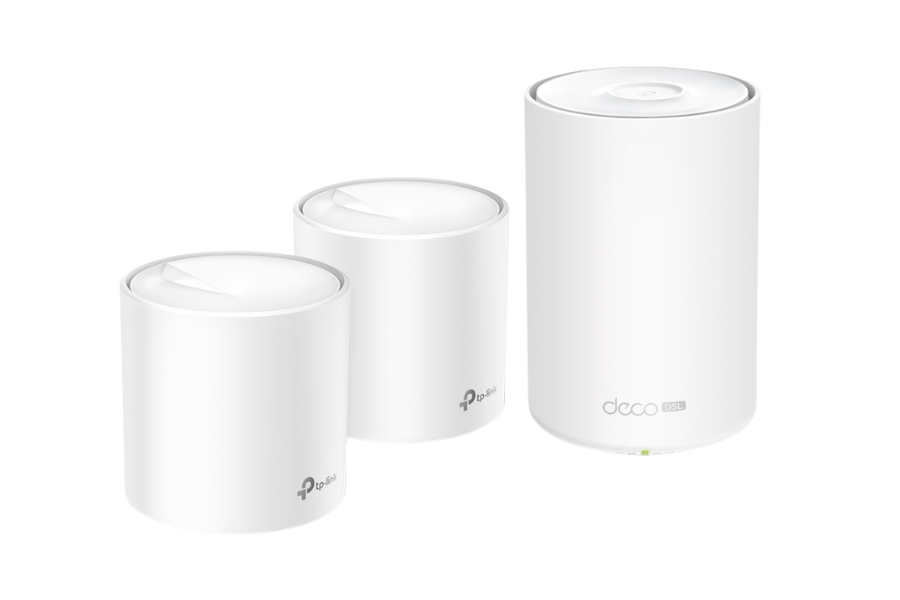
If you don’t have a modem or router that can handle multiple devices at once, now’s the time to upgrade. This will ensure that every device in your home can enjoy a strong and stable internet connection without any laggy performance or annoying dropouts. Luckily, most high-end modem/routers these days with dual or tri-band capabilities are able to do just this. For the best experience, look for a WiFi 6 or WiFi 7 router, or a mesh WiFi system if you have a bigger home or a back patio where everyone gathers on Boxing Day. If your router is more than four or five years old, an upgrade could make a real difference.
It’s important to remember that the more devices you have connected simultaneously, the more your download speed will be divided between those devices, which is why your speed tier matters too.
Update your router’s firmware
Firmware updates fix bugs, patch security holes and can improve performance. Many routers update automatically, but it’s worth checking in your router’s app or settings page. Our modem setup guides show you how.
Set up a guest network for visitors
A guest WiFi network lets visitors get online without your main WiFi password and keeps their devices separate from yours. The Australian Cyber Security Centre also suggests putting smart home gadgets on a separate network, which is a simple win for smart home device security.
How to set up new devices on WiFi (without the Christmas morning chaos)
Game consoles: update before the big day
The easiest way to set up new devices on WiFi is to do it before Christmas Day. New consoles and games often need large updates before you can play. If you can, set the console up and run its updates before you wrap it, or on Christmas Eve, so no one is staring at a progress bar on Christmas morning.
Smart home devices often need 2.4GHz
Many smart plugs, lights and cameras only connect to the 2.4GHz WiFi band, so check it’s switched on if a gadget won’t connect.
Smart home device security: change passwords and turn on updates
Since 4 March 2026, new smart devices sold in Australia can’t use universal default passwords. It’s still worth setting a strong, unique password for each device, turning on automatic updates and only downloading apps from official stores.
A new phone needs a plan
If someone’s unwrapping a new phone, they’ll need a SIM or eSIM to go with it. A no-lock-in SIM plan for a new phone means they can get connected on the day.
New phone for the kids? Set up parental controls on a new phone before Christmas
There’s no question that a smartphone or a tablet can be a great gift for your young ones come Christmas time. When this happens, it’s important to have a conversation with them about internet safety and life online before they start using their new devices.
Running through some practical safety tips can go a long way in ensuring they have a positive experience when using the internet or social media. Some basic guidelines may include:
- Not sharing personal information online
- Not clicking unknown links
- Only up to an hour of screen time a day for children aged 2-5 years
- No more than two hours of screen time a day for children aged 5-17 years

There are also a host of parental control apps that can allow you to monitor your child’s online behaviours and keep them on the (digital) straight and narrow. Setting up parental controls on a new phone is easiest before it’s wrapped. iPhones and iPads have Screen Time, and Android devices can use Google Family Link. Many routers also let you pause devices or set bedtimes for the kids’ devices.
Most importantly, reassuring your child that they can come to you with any questions or concerns they have about their new device or anything they see or hear online is key to keeping them safe as they embark on their tech journey.
The eSafety Commissioner has practical guides for parents on new devices and parental controls at esafety.gov.au/parents.
Do you need a faster plan?
Speed decides how much can happen at once. As a rough rule of thumb:
- One or two people, light use: nbn 25 or nbn 50 is usually fine.
- A family of three or four, with a couple of HD streams at once: nbn 50 is a good fit.
- A busy house with 4K streaming, gaming and working from home: look at nbn 100, or nbn 500 if you’re on FTTP or HFC.
MATE plans have no lock-in contracts and no plan change fees, so you can move up for the holidays and back down later if you like. For more tips, read our guide to sharing internet in a busy household. Need a hand over the break? Our Aussie-based support team is here to help.
Upgrade before the device rush
Get your home ready for Christmas with unlimited data, no lock-in contracts and 100% Aussie-based support. Compare MATE nbn plans and find the right speed for your busy house.
Frequently asked questions
How many devices can my home Wi-Fi handle?
▼
Should I set up a guest Wi-Fi network?
▼
Why is my internet slow on Christmas Day?
▼
Do I need a new router for more devices?
▼
How do I keep new smart devices secure?
▼