How to Prepare Your Home Network for a Productive 2026
Mobile Phone & Internet Blog | MATE | 6 January 2026
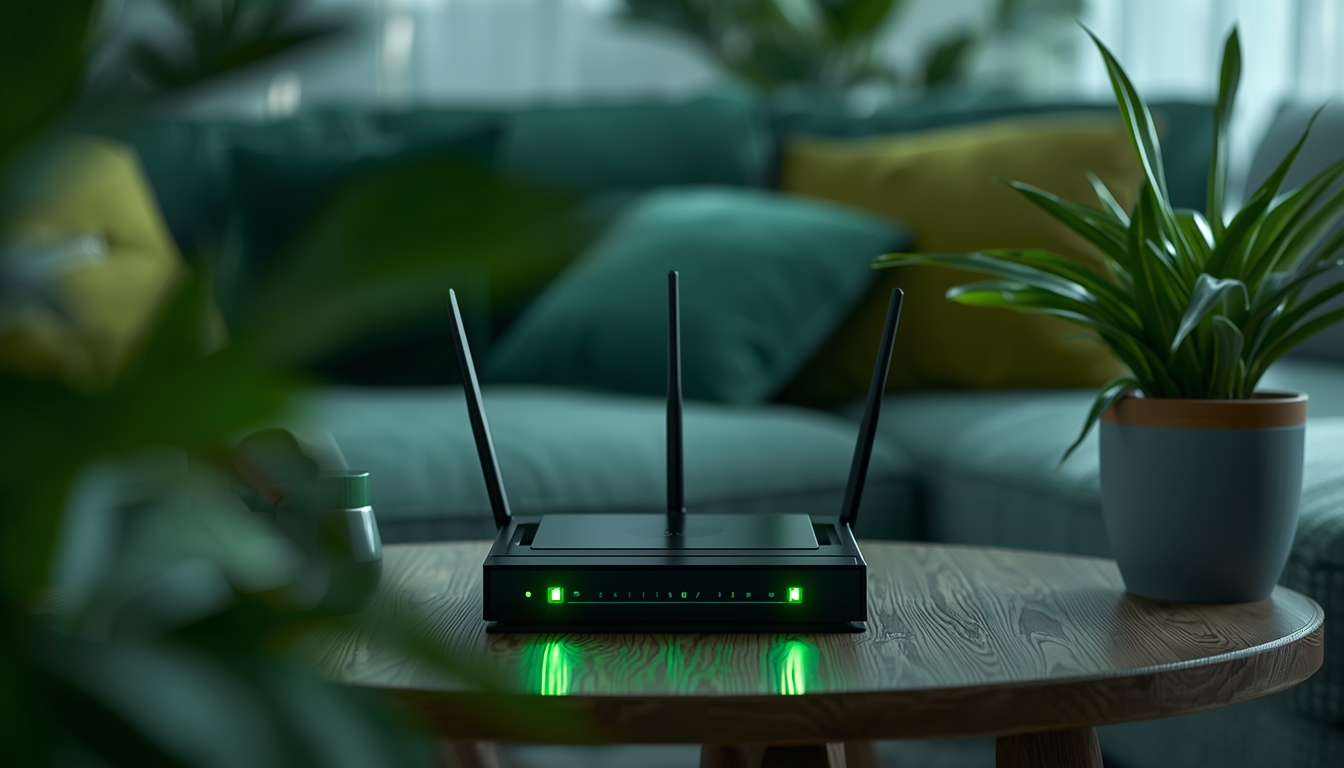
Is your home Wi-Fi dropping during crucial work calls or buffering through family movie nights? With NBN data usage set to double by 2026, most Aussie households face frustrating slowdowns from outdated setups. This guide reveals step-by-step how to assess, upgrade, and future-proof your network for non-stop productivity.
Introduction
It is January 2026, and the demands on our home internet have never been higher. We aren’t just checking emails anymore; we are running complex smart homes, streaming in 8K, and relying on cloud-based AI tools daily. A sluggish connection isn’t just an annoyance, it stops you from getting things done.
Preparing your network for the year ahead is about more than just raw speed. It is about reliability, security, and making sure every room in your house gets the coverage it needs. Whether you are working from home or managing a household full of gamers, a solid network foundation is the key to a smooth year. Let’s get your setup sorted.
Why Prepare Your Home Network for 2026 Now
January is the perfect time to audit your digital life. As we settle into 2026, the “standard” requirements for internet usage have shifted. Applications are heavier, file sizes are larger, and video conferencing is now high-definition by default. If your network struggled during the holidays, it won’t hold up during the work year.
Taking action now prevents mid-year headaches. You avoid the stress of dropping out of important video calls or suffering through buffering during the big game. Plus, with many providers updating their NBN plans and hardware options recently, you might be paying for outdated technology. A quick review now saves time and money later.
What a Productive 2026 Home Network Looks Like
A productive network in 2026 is invisible. You shouldn’t notice it working; it should just be there. This means low latency for instant page loads and lag-free calls. It means having enough bandwidth so that one person downloading a large file doesn’t freeze the TV in the next room.
“The best network is the one you never have to think about.”
Ideally, your setup includes Wi-Fi 7 capabilities for future-proofing and a mesh system if you have a larger home. Security is automated, and dead zones are non-existent. It supports dozens of connected devices simultaneously without breaking a sweat. This is the standard you should aim for this year.
Assess Your Current Network Setup
Before you buy new gear or switch plans, you need to know exactly what you are working with. You can’t fix a problem you haven’t diagnosed. Start by gathering real data on how your current setup performs versus what you actually pay for.
Test Your NBN Speeds and Stability
Don’t guess your speed; measure it. Use a tool like Ookla’s Speedtest.net or the MATE app to check your connection. Run tests at different times of the day, specifically during the “evening peak” between 7 PM and 11 PM.
If you pay for 100Mbps but only get 40Mbps via Wi-Fi, the issue might be your router, not the NBN connection itself. Test with an ethernet cable for accuracy.
Identify Common Bottlenecks
Bottlenecks are choke points that slow down your data. The most common culprit is an outdated router that cannot handle modern NBN speeds. It is like trying to push a watermelon through a garden hose.
Physical barriers are also major issues. In many Australian homes, double-brick walls, metal appliances, and even large mirrors can block wireless signals, causing speed drops in bedrooms or offices furthest from the modem.
Inventory Your Devices and Usage
You likely have more connected devices than you think. Go room by room and count them. Include smartphones, laptops, tablets, smart TVs, gaming consoles, smart speakers, and even connected appliances like fridges or washing machines.
In 2026, the average home often has over 20 connected devices. Knowing this number helps you understand why your old router might be crashing under the pressure.
Upgrade to the Right NBN Plan
Your hardware can only do so much if your plan is too slow. As file sizes grow and streaming quality improves, entry-level plans often fall short. You need a plan that matches your household’s peak usage, not just your average usage.
Choose Unlimited Data for Heavy Use
Data caps are a thing of the past for most, but ensure you are on a truly unlimited data plan. Streaming 4K or 8K content consumes massive amounts of data—up to 7GB per hour or more.
If you work from home with large cloud files or have gamers downloading 100GB+ updates, unlimited data ensures you never face throttled speeds or excess charges right when you need access most.
Bundle with 5G Mobile for discounts and one simple bill
Efficiency isn’t just about speed; it is also about your wallet. Many providers, including MATE, offer incentives to bundle your services. Combining your NBN internet with a 5G mobile plan can simplify your life.
- Single Bill: Less admin work each month.
- Cost Savings: Bundles often come with monthly discounts (like $10 off).
- Data Banking: Some mobile plans let you save unused data.
Switch to a Reliable Provider Like MATE
Price is important, but support is critical. When your internet goes down, you want to speak to someone who understands the local infrastructure. MATE provides 100% Australian-based support, meaning you talk to real people in your time zone.
We also don’t lock you into contracts. If your needs change or you move house, you aren’t stuck with penalties. Flexibility is essential for a modern, productive lifestyle.
Essential Hardware Upgrades
If your modem is more than four years old, it is likely the weak link in your chain. 2026 hardware standards are significantly faster and more efficient at handling multiple devices than technology from the early 2020s.
Modern Modem and Wi-Fi 7 Router
Wi-Fi 7 is the current standard for high-performance home networks. It offers wider channels and higher capacity than Wi-Fi 6. This means it can punch through interference better and deliver gigabit speeds wirelessly.
Investing in a Wi-Fi 7 router ensures your internal network isn’t slower than your NBN connection. It is the best way to future-proof your home for the next few years of tech advancements.
Mesh Systems for Whole-Home Coverage
Stop fighting with range extenders that cut your speed in half. A Mesh Wi-Fi system uses multiple nodes placed around your house to create a single, seamless network.
- Seamless Roaming: Walk from the kitchen to the backyard without dropping a call.
- Self-Healing: If one node fails, others pick up the slack.
- Easy Setup: Most are plug-and-play via an app.
Ethernet Cabling for High-Bandwidth Areas
Wi-Fi is convenient, but wires are still king for stability. For stationary devices like desktop PCs, gaming consoles, or smart TVs, use Ethernet cables (Cat6 or newer).
Hardwiring these devices frees up valuable Wi-Fi airtime for your phones and tablets. It guarantees the lowest possible latency, which is crucial for video conferencing and online gaming where every millisecond counts.
Optimise Wi-Fi Performance
Buying expensive gear is only half the battle. How you configure and place that gear determines how well it works. Simple adjustments can often double your effective speed without costing a cent.
Strategic Router Placement
Do not hide your router in a cupboard or behind the TV. Wi-Fi signals degrade when passing through solid objects.
For the best signal:
- Place the router in a central location in your home.
- Keep it elevated on a shelf or table, not on the floor.
- Keep it away from other electronics like microwaves or cordless phones that cause interference.
Channel Selection and Band Steering
Modern routers usually handle this automatically, but it helps to double-check. Ensure “Band Steering” is enabled so your device automatically switches between 2.4GHz (better range) and 5GHz/6GHz (better speed).
If you live in an apartment complex, manual channel selection might help avoid congestion. Use a Wi-Fi analyzer app to find the least crowded channel and lock your router to it.
Set Up Guest Networks
Keep your main network secure and uncluttered by setting up a Guest Wi-Fi network. This is a separate access point for visitors or less secure smart home devices.
This prevents guests from accidentally accessing your shared files or printers. It also ensures that if a friend’s infected phone connects to your Wi-Fi, it cannot spread malware to your work laptop or personal data.
Strengthen Network Security
Cyber threats are more sophisticated in 2026. Your home router is the front door to your digital life, protecting banking details, personal photos, and work documents. You must lock it tight.
Update Firmware and Enable WPA3
Router manufacturers release software updates to patch security holes. Log into your router’s admin panel and check for firmware updates. Better yet, enable “automatic updates” if available.
Ensure your security protocol is set to WPA3. It provides much stronger encryption than the older WPA2 standard, making it significantly harder for hackers to crack your Wi-Fi password.
Implement Strong Passwords and Multi-Factor Authentication
The default password printed on the sticker of your modem is not secure enough. Change it immediately. Use a passphrase—a string of random words like “Blue-Coffee-Jump-2026″—which is easier to remember but hard for computers to guess.
Enable Multi-Factor Authentication (MFA) for your router’s admin login if supported. This adds a layer of protection, requiring a code from your phone to change settings.
Add VPN for Remote Work
If you work from home, a Virtual Private Network (VPN) is essential. It encrypts your internet traffic, hiding your data from prying eyes.
You can install VPN software on individual laptops, or configure it directly on some advanced routers to protect every device in the house. This is especially important for protecting privacy on smart TVs and IoT devices that often lack built-in security.
Future-Proof for Emerging Tech
Technology moves fast. The setup you build today needs to handle the innovations of tomorrow. We are seeing a surge in automated home devices and high-bandwidth entertainment that demands a robust network backbone.
IoT and Smart Home Integration
Smart homes are standard now. From video doorbells to automated blinds, these devices use the Matter protocol to talk to each other.
Your network needs to handle dozens of these small connections simultaneously. A modern router with “OFDMA” technology (part of Wi-Fi 6 and 7) is designed specifically to manage this traffic without slowing down your Netflix stream.
AI Tools and 8K Streaming Readiness
Generative AI tools and 8K video streaming are bandwidth-hungry. AI assistants often upload audio or video to the cloud for processing, requiring strong upload speeds, not just download speeds.
Ensure your NBN plan has a decent upload tier (like NBN 50 or NBN 100). This ensures that while you are watching 8K content, your smart home AI can still function responsively.
Online safety for kids and teens
As kids spend more time online for school and socialising, safety is paramount. Modern routers often include built-in parental controls.
These tools allow you to:
- Filter inappropriate content automatically.
- Set “bedtime” schedules that pause Wi-Fi for specific devices.
- Monitor usage to ensure a healthy balance between screen time and offline time.
Test and Monitor Your Network
Setting up your network isn’t a “set and forget” task. You need to check in on it occasionally to ensure it is still performing at its peak.
Run a speed test once a month to verify you are getting what you pay for. Check your router’s app to see which devices are connected, if you see a device you don’t recognise, change your password immediately. Consistent monitoring helps you catch issues before they disrupt your day.
Best Practices for Long-Term Performance
To keep your network running smoothly throughout 2026, follow a few simple maintenance habits.
- Reboot Regularity: Restart your modem and router once a month to clear memory and refresh connections.
- Dust Control: Electronics hate heat. Keep your router free of dust and ensure vents aren’t blocked to prevent overheating.
- Cable Check: Inspect ethernet cables for damage or sharp bends that could degrade performance.
- Disconnect Unused Devices: If you have an old tablet in a drawer, turn its Wi-Fi off so it doesn’t waste network resources.
Common Mistakes to Avoid
Even with the best intentions, it is easy to make simple errors that ruin your internet experience.
- Using the ISP-supplied cable: Sometimes the free yellow cable in the box is low quality. Buy a proper Cat6 cable.
- Daisy-chaining power boards: Plug your modem directly into the wall or a high-quality surge protector, not a cheap double adapter.
- Ignoring the NBN box: If you have FTTP or HFC, the NBN connection box needs power and ventilation too, not just your router.
Conclusion
Getting your home network ready for 2026 doesn’t require a degree in computer science. It starts with assessing what you have, upgrading the bottlenecks, and choosing a plan that matches your lifestyle.
By investing in decent hardware like a Wi-Fi 7 router or a mesh system, and partnering with a provider like MATE that offers Aussie support and flexible plans, you set yourself up for success. A strong network means better work calls, smoother streaming, and a happier household. Take the time to fix it now, and enjoy a productive year ahead.
Frequently Asked Questions
What NBN speeds are typical for Sydney homes in 2026?
Sydney households average 45-85Mbps download on NBN 50/100 plans per ACMA data, but peak evening usage (7-11 PM) often drops 20-30% due to congestion in dense suburbs like Parramatta.
How much does a Wi-Fi 7 mesh system cost in Australia?
Wi-Fi 7 mesh systems from brands like TP-Link or Netgear cost $500-$1,200 AUD for 3-node setups, available at JB Hi-Fi or Officeworks, covering 400+ sqm homes.
What’s the best NBN plan for families in Sydney?
MATE’s “No Worries” NBN plan offers excellent value for families – with download speeds up to 100Mbps for FTTN, FTTC and FTTB connections, or up to 500Mbps for Fibre and HFC connections, providing reliable speeds for multiple devices and streaming.
What are the most common NBN connection types in Sydney?
Sydney homes primarily use FTTP (Fibre to the Premises) in newer areas, HFC (Hybrid Fibre Coaxial) in established suburbs, and FTTN/FTTC in older regions; check your address at LetsBeMates.com.au to confirm your connection type and available speeds.
Are there government rebates for home network upgrades in NSW?
No direct rebates, but NSW Energy Savings Scheme offers up to $300 for smart home devices via authorised retailers; check energy.nsw.gov.au for eligibility. Note: If you work from home, you may be eligible to claim home network upgrades on your income tax – consult your tax professional for advice.
Check out our related articles
- 12 ways to make your internet faster
- improve your NBN download speeds
- running complex smart homes
- working from home
- NBN plans


