Protected: FTTP and NBN Fibre Connect: The Complete Guide to Full Fibre Internet in Australia
Internet & Mobile Security Blog | MATE | 20 April 2026

Not everyone on the NBN has the same connection, and the gap matters. Here’s what FTTP actually delivers, how the NBN Fibre Connect program is expanding access, and what your options are if full fibre hasn’t reached you yet.
TL;DR — Quick Takeaways
- FTTP (Fibre to the Premises) is full fibre internet – the fastest, most reliable NBN connection type
- Supports speeds up to 2000Mbps (2Gbps) and beyond – future-proof technology
- NBN Fibre Connect is expanding FTTP to more homes – check if you’re eligible
- If you have FTTN, FTTC, or HFC, you can upgrade to FTTP through NBN’s Fibre Upgrade program (costs may apply)
- No ongoing performance issues like copper-based connections; what you pay for is what you get
- If you’re building a new home or major renovation, you can request FTTP installation
What Is FTTP (Fibre to the Premises)?
FTTP (also called full fibre or Fibre to the Premises) means fibre optic cable runs all the way from the NBN network to your house. No copper phone lines. No coaxial cables. Just pure, high-speed fibre from start to finish.
It’s the same technology that powers the world’s fastest internet connections. South Korea, Japan, Singapore, all the countries famous for incredible internet speeds use full fibre networks.
How FTTP Actually Works
The setup is straightforward:
- Fibre optic cable runs from the NBN network to a small box on the outside of your house (called an NBN Connection Box or NTD)
- The box converts the fibre optical signal into electrical signals your modem can understand
- You plug your modem into the NBN Connection Box via ethernet cable
- Your devices connect to your modem (via Wi-Fi or ethernet)
The NBN Connection Box needs power to work. This is important to know, if your power goes out, your internet goes out too (including any medical alarms or emergency call systems that rely on your internet connection).
Why FTTP Is the Best NBN Connection
FTTP isn’t just slightly better than other NBN connection types, it’s in a completely different league. Here’s why:
1. Genuinely Fast Speeds
FTTP supports:
- Up to 2000Mbps (2Gbps) on standard residential plans
- Speeds beyond 2Gbps for businesses and power users
- Symmetrical upload speeds (same upload as download) on some plans
With FTTN or FTTC, you might pay for 100Mbps but only get 60Mbps because of distance from the node or poor copper quality. With FTTP, if you pay for 100Mbps, you essentially get 100Mbps. Consistently.
2. Rock-Solid Reliability
Fibre optic cables don’t degrade like copper. They’re not affected by:
- Weather (rain, storms, heat)
- Electrical interference
- Distance (fibre can carry signals much further without degradation)
- Corrosion or oxidation
Copper-based connections (FTTN, FTTC) can suffer from dropouts, especially after heavy rain when water gets into old connections. FTTP doesn’t have this problem.
3. Future-Proof Technology
Here’s the brilliant thing about fibre: the cables themselves can handle way more speed than we’re currently using. The speed limitation is in the equipment at each end, not the cable.
When faster speeds become available, you won’t need new cables installed — NBN Co can upgrade the equipment and suddenly you have access to 10Gbps or 100Gbps without anyone digging up your street.
Copper can’t do this. Once you’ve maxed out what copper can deliver, that’s it. You’d need new infrastructure.
4. Better for Heavy Use
Modern households need serious bandwidth:
- Multiple people streaming 4K video simultaneously
- Video calls while someone else games
- Smart home devices (cameras, doorbells, speakers, lights)
- Cloud backups running in the background
- Work-from-home setups with large file uploads
FTTP handles all of this without breaking a sweat. Other connection types can struggle when everyone’s online at once.
5. Better Upload Speeds
Most NBN connection types have asymmetric speeds — fast downloads, slow uploads. FTTP can offer symmetrical speeds, so your upload is just as fast as your download.
This matters if you:
- Upload large files for work
- Do video calls (upload = your video being sent)
- Back up to the cloud
- Stream yourself (gaming, content creation)
- Run security cameras that upload to cloud storage
Do You Have FTTP? How to Check
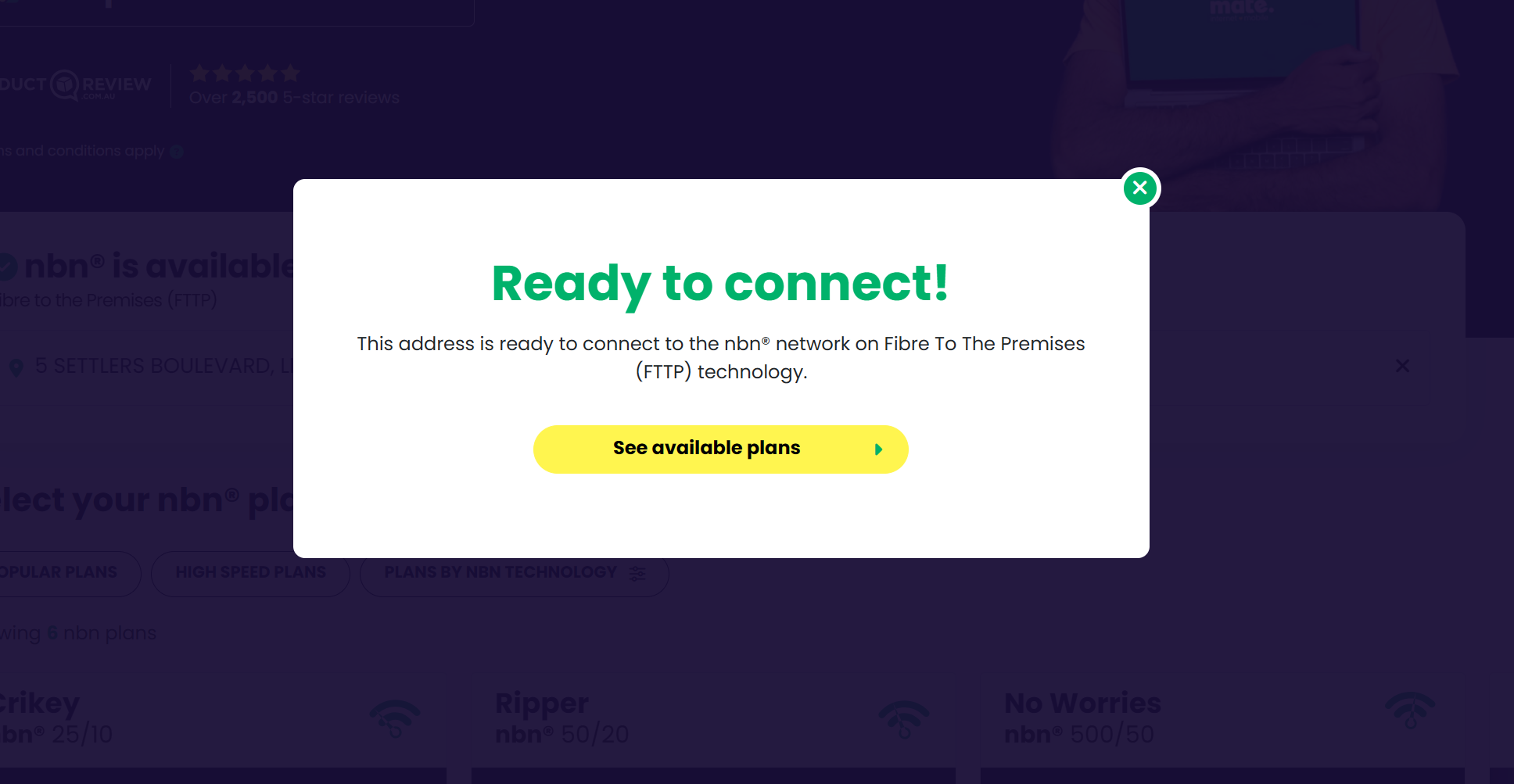
Not sure if you’ve got full fibre? Here’s how to find out:
Method 1: Check MATE’s Website
- Go to MATE’s nbn page and check-your-address
- Enter your address
- Look for ‘Technology Type’
- If it says ‘FTTP’ or ‘Fibre to the Premises’, you’ve got it
Method 2: Look at Your Setup
If you have FTTP, you’ll have:
- A small NBN Connection Box (NTD) mounted on an external wall of your house
- Your modem plugged into this box via ethernet cable
- No connection to your phone line
If your modem plugs into a phone socket, you don’t have FTTP (you have FTTN, FTTC, or FTTB).
NBN Fibre Connect: Expanding Full Fibre Access
NBN Fibre Connect is NBN Co’s program to bring FTTP to more homes and businesses across Australia. It’s part of a massive upgrade initiative to replace older copper-based connections with full fibre.
What Is Fibre Connect?
NBN Co is upgrading millions of homes from FTTN, FTTC, and HFC to FTTP. If your area is eligible, NBN Co will install full fibre to your premises at no cost to you.
This isn’t something you pay for or request — if your address is in the Fibre Connect rollout plan, NBN Co will contact you when they’re ready to upgrade your area.
Am I Eligible for Fibre Connect?
Check your eligibility:
- Go to nbnco.com.au/residential/upgrades
- Enter your address
- Check if Fibre Connect is available or planned for your area
If it says ‘Fibre Connect is available’ or ‘coming soon’, you’re in luck. NBN Co will handle the upgrade, you just need to schedule an installation appointment when they contact you.
What Happens During a Fibre Connect Upgrade?
- NBN Co contacts you: You’ll get a letter or email telling you Fibre Connect is available
- Schedule installation: Book an appointment through NBN Co or your internet provider
- Installation day: NBN technicians install the fibre cable and NBN Connection Box (usually takes a few hours)
- Switch over: Your internet provider switches your service from the old connection to FTTP
- You’re live: Connect your modem to the new NBN Connection Box and you’re done
There’s no cost to you for Fibre Connect installations. NBN Co covers it.
Upgrading to FTTP: NBN’s Fibre Upgrade Program
If Fibre Connect isn’t available in your area yet, you might still be able to get FTTP through NBN’s Fibre Upgrade program — but you’ll need to pay for it.
Who Can Upgrade?
Most homes and businesses on FTTN, FTTC, or HFC can request a Fibre Upgrade. You’ll need to:
- Have an existing NBN connection
- Be technically able to receive FTTP (NBN will assess this)
- Be willing to pay the upgrade cost
How Much Does It Cost?
Costs vary depending on:
- How far the fibre needs to run
- Complexity of installation
- Whether you need a standard or business-grade connection
Typical costs range from a few hundred dollars to several thousand for complex installs. NBN Co will provide a quote after assessing your property.
Some internet providers (including major ones like Telstra) offer subsidised or partially-covered upgrade programs. Check with your provider to see if they have any deals.
How to Request an Upgrade
- Check eligibility: Go to nbnco.com.au/residential/upgrades/more-fibre and enter your address
- Contact your internet provider: Tell them you want to upgrade to FTTP
- Get a quote: Your provider will work with NBN Co to assess your property and provide a cost estimate
- Accept and schedule: If you’re happy with the cost, approve the upgrade and book installation
- Installation: NBN technicians install the fibre connection
Is It Worth Paying to Upgrade?
Honestly? It depends on your situation:
Worth it if:
- You’re on FTTN and getting terrible speeds (under 25Mbps)
- You have constant dropouts or reliability issues
- You work from home and need rock-solid internet
- You’re planning to stay in the property long-term
- You run a business from home
Probably not worth it if:
- Your current connection works fine for your needs
- You’re renting and might move soon
- The upgrade cost is several thousand dollars and you only use internet lightly
New Homes and Developments
If you’re building a new home or doing a major renovation, you can request FTTP installation as part of the NBN New Development process.
A few things to know:
- All new developments must have NBN infrastructure installed
- FTTP is now the standard for new builds (unless special circumstances apply)
- Your builder or developer handles the NBN connection application
- Make sure FTTP is specified in your development plans
If you’re buying a newly-built home, confirm it has FTTP before settlement. Most new homes do, but it’s worth checking.
Equipment and Setup
What You’ll Need
- NBN Connection Box (NTD): Installed by NBN Co during setup — this is their equipment, not yours
- FTTP-compatible modem/router: Your internet provider usually supplies this, or you can buy your own
- Ethernet cable: To connect the modem to the NBN Connection Box (usually provided)
- Power: Both the NBN Connection Box and your modem need power outlets
Setting Up Your FTTP Connection
- Make sure the NBN Connection Box has power and is showing lights
- Connect your modem to the NBN Connection Box using the ethernet cable
- Plug in your modem and turn it on
- Wait 5-10 minutes for everything to sync
- Connect your devices to your WiFi network
That’s it. No phone line configuration, no complex setup. Just plug and go.
Speeds and Performance
Available Speed Tiers
FTTP supports all NBN speed tiers:
- NBN 25 (25Mbps): Basic browsing, email, SD streaming
- NBN 50 (50Mbps): Good for most households — HD streaming, video calls, casual gaming
- NBN 500 (500Mbps): Multiple users, 4K streaming, serious gaming
- NBN 750 (750Mbps): Power users, large households, heavy usage
- NBN 1000/2000 (1/2Gbps): Extreme performance, multiple heavy users, professional use
Unlike FTTN or FTTC, FTTP consistently delivers the speed tier you pay for. If you’re on 100Mbps, you’ll get 100Mbps (or very close to it).
Real-World Performance
What FTTP speeds mean in practice:
- 50Mbps: Download a 1GB file in about 3 minutes
- 100Mbps: Download a 1GB file in about 1.5 minutes
- 250Mbps: Download a 1GB file in about 35 seconds
- 1000Mbps: Download a 1GB file in about 8 seconds
FTTP vs Other NBN Connection Types
Not all NBN connections are created equal. While FTTP (Fibre to the Premises) delivers full fibre directly to your home, meaning consistent speeds and no degradation over distance, most Australians are still on a mixed-technology connection that relies on older copper or coaxial infrastructure for the final leg.
| Comparison | FTTP | FTTN | HFC | FTTC |
|---|---|---|---|---|
| Last mile | Full fibre to the premises | Copper from street node | Coaxial cable from node | Copper from the kerb |
| Speeds | Maximum, consistent | Varies by distance and copper quality | Fast, can slow at peak times | Better than FTTN, still copper-limited |
| Reliability | Very high | Low — copper degrades | High, some congestion risk | Moderate |
| Winner | — | FTTP wins, no contest | FTTP wins, HFC close second | FTTP wins |
FTTN is the weakest of the three alternatives: the further you are from the street node, the slower and less reliable your connection. HFC is a stronger performer. It’s fast and generally stable, but shared infrastructure means speeds can dip when the whole street is online.
FTTC sits in the middle, better than FTTN because the fibre runs closer to your home, but still limited by copper cabling. If you’re on FTTP, you’re have the best connection that the NBN offers.
Frequently Asked Questions
What’s the difference between FTTP and NBN?
NBN is the network — the National Broadband Network that provides internet across Australia. FTTP is one type of NBN connection. It’s the best type, where fibre optic cable runs all the way to your house. Other NBN connection types include FTTN, HFC, and FTTC.
Is FTTP the same as fibre optic internet?
Yes. FTTP is full fibre optic internet. The entire connection from the network to your house uses fibre optic cables.
Can I get FTTP if I don’t have it now?
Maybe. Check if NBN Fibre Connect is available in your area (free upgrade) at nbnco.com.au/residential/upgrades. If not, you can request a paid upgrade through NBN’s Fibre Upgrade program — costs vary but typically range from a few hundred to several thousand dollars.
How much does it cost to upgrade to FTTP?
If you’re eligible for NBN Fibre Connect, the upgrade is free. If you’re requesting a paid upgrade through the Fibre Upgrade program, costs vary based on installation complexity — typically a few hundred to several thousand dollars. Get a quote from your internet provider or NBN Co.
Do I need a special modem for FTTP?
You need an FTTP-compatible modem/router. Most modern modems work with FTTP. Your internet provider usually supplies one, or you can buy your own. Make sure it supports the speed tier you’re planning to use (e.g., if you want gigabit speeds, you need a gigabit-capable modem).
What happens to my internet if the power goes out?
The NBN Connection Box needs power to work. If your power goes out, your internet goes out too. This is important for medical alarms or emergency services that rely on your internet connection. Consider a UPS (uninterruptible power supply) if you need internet during power outages.
Is FTTP faster than 5G home internet?
FTTP is more consistent and reliable than 5G home internet. 5G can sometimes deliver faster peak speeds, but it varies based on signal strength, network congestion, and location. FTTP delivers the same speed 24/7. For serious use (work from home, gaming, streaming), FTTP is the better choice.
Can FTTP handle multiple devices at once?
Absolutely. FTTP easily handles 20+ devices simultaneously without performance issues. The key is choosing a speed tier that matches your household’s usage. For heavy multi-device use (streaming, gaming, video calls all at once), go for 100Mbps or higher.
Will FTTP increase my property value?
It can, especially in areas where FTTP is rare or where other properties have inferior connection types. Fast, reliable internet is increasingly important to home buyers and renters. It’s not a massive value increase, but it’s a genuine selling point.
How long does FTTP installation take?
A standard FTTP installation usually takes 3-5 hours. Complex installs (difficult cable runs, multiple floors, challenging property layouts) can take longer. NBN technicians handle everything — running the fibre cable, installing the NBN Connection Box, and testing the connection.
Does FTTP require ongoing maintenance?
No. Fibre optic cables don’t degrade like copper and don’t need regular maintenance. The NBN Connection Box is NBN Co’s equipment — if it fails, they replace it. Your only responsibility is keeping your own modem/router working.
Can I use my old modem with FTTP?
Only if it’s FTTP-compatible. Old ADSL or FTTN modems won’t work. Check with your modem manufacturer or internet provider. Generally, it’s easier and safer to use the modem your provider supplies — they’ll ensure it’s compatible and configured correctly.
What’s NBN Fibre Connect vs NBN Fibre Upgrade?
Fibre Connect is NBN Co’s free upgrade program — they proactively upgrade eligible areas at no cost. Fibre Upgrade is the paid program where you request an upgrade and pay the installation costs. Check Fibre Connect eligibility first (it’s free), and only consider paid upgrades if Fibre Connect isn’t available.
Does FTTP work with VoIP phone services?
Yes. FTTP works perfectly with VoIP (Voice over Internet Protocol) phone services. In fact, VoIP works better on FTTP than copper-based connections because the connection is more stable and has better upload speeds for voice quality.
Ready to make the most of your FTTP connection? Check out MATE’s NBN plans and find the right speed tier for your full fibre setup.




