Best Modems for NBN in Australia (2026-2027): Which Do You Need?
Home & Business Internet Blog | MATE | 16 April 2026
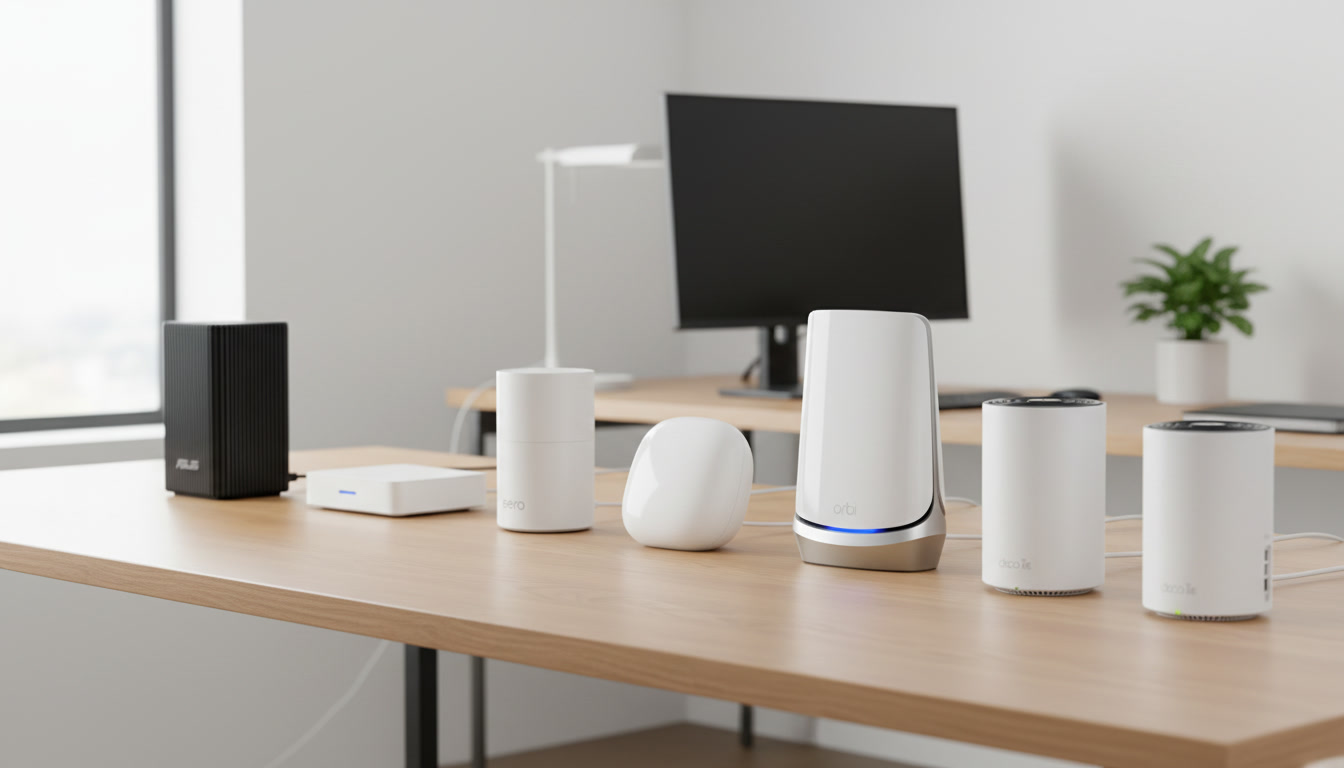
Everything you need to know about choosing the right modem for your NBN plan and connection type, plus when mesh Wi-Fi is worth adding on top, which systems are worth buying, and how to set them up for perfect whole-home coverage.
TL;DR – Quick Takeaways
- Most households don’t need to spend big on hardware. Your NBN connection type and plan tier decide what modem you actually need, mesh Wi-Fi is a separate, optional upgrade on top.
- MATE’s supplied modem is compatible out of the box for the vast majority of plans up to NBN 500. Higher tiers and mesh coverage are the two most common reasons to upgrade.
- Mesh Wi-Fi uses multiple units working together to blanket your whole home in Wi-Fi – no more dead zones
- It’s way better than Wi-Fi extenders (which create separate networks and cut speeds in half)
- Setup takes 10-15 minutes via a phone app, no technical knowledge required
- Best for houses over 150 square metres, multi-storey homes, or anywhere with thick walls
- Top picks for 2026: TP-Link Deco XE75, Google Nest WiFi Pro, Netgear Orbi (depending on your needs and budget)
- Works with any nbn connection type, just plug into your existing modem
What Is Mesh Wi-Fi? (And Why You Probably Need It)
Mesh Wi-Fi is a system that uses multiple devices (called nodes) working together to create one seamless Wi-Fi network throughout your home.
Instead of one router in the corner trying to cover your whole house, you place nodes in different rooms, the lounge, upstairs hallway, home office, wherever you need coverage. They all talk to each other and create one unified network.
How It Actually Works
Think of traditional Wi-Fi like shouting from one corner of your house and hoping everyone can hear you. Mesh Wi-Fi is like having someone in every room passing the message along, much more reliable.
Here’s what happens:
- You plug the main node into your nbn modem
- Other nodes get power from regular wall sockets around your home
- All nodes communicate with each other wirelessly (or via ethernet if you want the ultimate setup)
- Your devices automatically connect to whichever node has the strongest signal
- As you walk around your home, your phone seamlessly switches between nodes without dropping connection
You only see one Wi-Fi network name. Behind the scenes, the mesh system intelligently routes your data through whichever path is fastest.
Why Mesh Beats Traditional Routers
- No more dead zones: Put nodes where you need them – upstairs, in the granny flat, out in the garage
- Seamless roaming: Walk from room to room and stay connected – no manual switching between networks
- Consistent speeds: Get fast Wi-Fi everywhere, not just near the router
- Easy to expand: Just add another node if you build an extension or need coverage in a new area
- Better device management: Modern mesh systems handle 50+ devices without breaking a sweat
Do You Actually Need Mesh Wi-Fi?
You probably need mesh if:
- Your home is over 150 square metres
- You have multiple floors
- You have thick brick or concrete walls
- Wi-Fi drops out in certain rooms
- You can’t move your router to a central location
- You have a granny flat, garage office, or outdoor area you want covered
You probably don’t need mesh if:
- You live in a small apartment or unit (under 100 square metres)
- One router already covers your whole home fine
- You only have a few devices
And before you even get to that question: for a lot of households, the real issue isn’t Wi-Fi coverage at all; it’s simply having the wrong modem for their connection type or plan. That’s worth ruling out first, which is exactly what the next section covers.
What Modem Do You Actually Need for NBN?
ProductReview feedback tells us that router and modem hardware is one of the most common things MATE customers get wrong, and some are spending $350 or more on new hardware without actually fixing the problem. Before you buy anything, it helps to know what your modem is actually responsible for, versus what your NBN plan and your Wi-Fi coverage are responsible for.
Modem vs Router vs Mesh: What’s the Difference?
- A modem connects your home to the nbn network itself. It’s the piece of hardware that has to match your connection type (FTTN, FTTC, FTTP, HFC or Fixed Wireless).
- The router takes that connection and shares it around your home over Wi-Fi and Ethernet. Most modern devices are a combined modem-router in one box.
- A mesh system is a Wi-Fi upgrade that sits on top of your modem to extend coverage. It doesn’t change your connection type or your maximum plan speed; it just gets that speed to every room. See the mesh section above.
Is MATE’s Supplied Modem Good Enough?
For most households, yes. MATE offers two ready-to-go modems, and which one suits you comes down to your connection type rather than your plan speed:
- TP-Link VX230v — best for homes on copper-based nbn connections like FTTN or FTTB, or if you need a home phone service.
- TP-Link HB210 Pro — ideal for FTTP, HFC, FTTC or Fixed Wireless connections where you don’t need a home phone.
Both are Wi-Fi-ready out of the box and cost $165 if you don’t already have a compatible modem. You can also BYO your own modem with no setup fee, provided it’s compatible with your connection type. See MATE’s modem info for full compatibility details by connection type.
The supplied modem hits a ceiling at the very top of MATE’s speed range. It comfortably handles plans up to NBN 100. For the higher wholesale tiers (500, 750, 1000 and 2000, only available on FTTP or HFC connections), getting the full advertised speed to a single wired device can depend on your modem or router having a fast enough ethernet port, standard 1-gigabit ports cap out around 940Mbps, so a multi-gigabit (2.5G or higher) port matters if you’re on NBN 1000 or above and want to see that speed on a wired connection.
What Modem Do I Need, by NBN Speed Tier?
| Speed tier | Typical hardware need | Notes |
|---|---|---|
| NBN 25 / 50 | MATE’s supplied modem is plenty | No special hardware requirements at this tier |
| NBN 100 | MATE’s supplied modem is plenty | The practical ceiling for FTTN/FTTB and FTTC connections |
| NBN 250 / 500 | Supplied modem is fine for most households | Available on FTTP/HFC; wired devices needing the full speed benefit from a modem with a gigabit port |
| NBN 750 / 1000 | Consider a modem/router with a 2.5G (multi-gigabit) port | A standard 1-gigabit port will bottleneck a single wired connection below the plan’s full speed |
| NBN 2000 | A multi-gigabit capable modem/router is recommended | Needed to get full wired speed; Wi-Fi speed to a single device will still be limited by your device and Wi-Fi standard |
Do I Need a New Modem for an FTTP Upgrade?
Not necessarily. If you’re upgrading from FTTN or FTTC to FTTP and staying on a similar speed tier, your existing modem may still work, FTTP mainly changes how the connection reaches your house, not what plugs into the wall inside it. That said, it’s worth checking compatibility at the time of your upgrade, since older modems built for copper connections aren’t always set up for FTTP’s connection type. MATE’s HB210 Pro is built for FTTP, HFC, FTTC and Fixed Wireless connections, so it’s a safe pick if you’re upgrading and need new hardware anyway.
If you’re planning a fibre upgrade, it’s worth reading alongside MATE’s free fibre upgrade guide for eligibility details.
Steer Clear of Overspending
The single biggest mistake we see is buying premium mesh or gaming router hardware to fix a problem that’s actually about connection type, plan tier, or router placement, not the hardware itself. If your Wi-Fi is patchy but your download speed tests fine standing next to the router, that’s a coverage problem, covered in the mesh section above, not a modem problem.
If you’re on an entry- to mid-tier plan (NBN 25 to NBN 100) and getting a Wi-Fi speed test result close to your plan speed standing next to the router, you almost certainly don’t need new hardware; your existing setup is doing its job. Save the spend for when you’ve actually confirmed it’s a hardware issue.
The 6 Best Mesh Wi-Fi Systems for NBN in 2026 (If You Need One)
If you’ve read the section above and mesh Wi-Fi is genuinely the right fix for your home, here’s our round-up.
1. TP-Link Deco XE75 – Best Overall
Price: Around $600-700 for a 2-pack
The Deco XE75 hits the sweet spot of performance, features, and price. It’s Wi-Fi 6E (the latest standard), covers up to 500+ square metres with a 2-pack, and handles 200+ devices without slowing down.
Why It’s Great:
- Wi-Fi 6E support (faster, less congestion)
- Dead simple setup via the Deco app
- Built-in antivirus and parental controls
- Great performance even in busy households
- Each node has 3 ethernet ports for wired devices
Best for: Medium to large homes (200-500 square metres) with lots of devices. Perfect if you want the latest tech without spending a fortune.
2. Google Nest Wi-Fi Pro – Best for Easy Setup
Price: Around $550-600 for a 2-pack
If you want something that just works with zero fuss, Google Nest Wi-Fi Pro is brilliant. The setup is genuinely foolproof, and it integrates seamlessly with Google Home devices.
Why it’s great:
- Stupidly easy setup (seriously, 5 minutes)
- Clean, minimal design that doesn’t look like tech gear
- Works perfectly with Google Home ecosystem
- Auto-updates in the background
- Wi-Fi 6E support
Downsides: Only one ethernet port per node (if you need wired connections, this might frustrate you).
Best for: People who hate tech setup and just want Wi-Fi that works. Great for Google Home users.
3. Netgear Orbi RBKE963 – Best Premium Choice
Price: Around $1,500-1,800 for a 3-pack
If money isn’t a concern and you want the absolute best, Orbi is it. This thing is a beast – massive coverage, insane speeds, and rock-solid reliability.
Why it’s great:
- Covers up to 750+ square metres with a 3-pack
- Dedicated backhaul (nodes communicate on a separate channel for maximum speed)
- 4 ethernet ports per node
- Top-tier performance for 4K streaming, gaming, video calls
- Wi-Fi 6E with tri-band technology
Downsides: Expensive. Each node is quite large. Probably overkill for smaller homes.
Best for: Large homes (400+ square metres), mansions, or anyone who wants absolutely no compromises on performance.
4. TP-Link Deco X50 – Best Budget Option
Price: Around $250-300 for a 2-pack
If you’re on a tight budget but still want proper mesh Wi-Fi, the Deco X50 delivers surprising value. It’s Wi-Fi 6 (not 6E), but for most homes, that’s fine.
Why it’s great:
- Excellent value for money
- Covers up to 400 square metres with a 2-pack
- Wi-Fi 6 support
- Same easy Deco app setup as the premium models
- 3 ethernet ports per node
Downsides: Not as fast as Wi-Fi 6E systems. Might struggle in homes with 30+ devices all going hard at once.
Best for: Budget-conscious buyers, smaller to medium homes (150-300 square metres), families with moderate internet use.
5. Amazon eero Pro 6E – Best for Smart Homes
Price: Around $800-900 for a 3-pack
If you’ve got heaps of smart home devices (lights, cameras, sensors, the works), eero is optimised for exactly that. It’s built to handle 75+ devices without breaking a sweat.
Why it’s great:
- Brilliant at managing smart home devices
- Built-in Zigbee hub (connects smart home devices directly)
- Works seamlessly with Alexa
- Covers up to 600 square metres with a 3-pack
- Wi-Fi 6E support
Downsides: Amazon owns eero, so if you’re not keen on Amazon products, this might put you off. Also, the best features (advanced security, ad blocking) require a subscription.
Best for: Smart home enthusiasts, Alexa users, homes with 20+ connected devices.
6. ASUS ZenWiFi AX (XT8) – Best for Gamers
Price: Around $650-750 for a 2-pack
Gamers need low latency and consistent speeds. The ASUS ZenWi-Fi delivers both, with gaming-specific features that prioritise your gaming traffic over everything else.
Why it’s great:
- Built-in gaming QoS (Quality of Service) – prioritises gaming traffic
- Very low latency
- 2.5G WAN port for future-proof gigabit+ connections
- Covers up to 550 square metres with a 2-pack
- Wi-Fi 6 (AX6600)
Downsides: The app interface is more complex than Google or TP-Link (which is good if you like control, annoying if you want simple).
Best for: Gamers, streamers, anyone who needs rock-solid performance for competitive gaming or live streaming.
Quick Comparison Table
| Model | Price Range | Best For | Coverage | WiFi Standard |
|---|---|---|---|---|
| TP-Link Deco XE75 ⭐ Best Overall |
$600–700 | Reliable performance across most households | Large homes | WiFi 6E |
| Google Nest Wi-Fi Pro ✓ Easiest Setup |
$550–600 | Simple setup with Google app integration | Medium to large homes | WiFi 6E |
| Netgear Orbi RBKE963 💎 Premium Choice |
$1,500–1,800 | Maximum performance and range | Very large homes | WiFi 6E |
| TP-Link Deco X50 💰 Best Budget |
$250–300 | Solid performance on a budget | Small to medium homes | WiFi 6 |
| Amazon eero Pro 6E 🏠 Smart Homes |
$800–900 | Alexa and smart home integration | Large homes | WiFi 6E |
| ASUS ZenWiFi AX XT8 🎮 Gaming |
$650–750 | Low latency gaming and QoS features | Large homes | WiFi 6 |
How to Set Up Your Mesh Wi-Fi System
Good news: mesh systems are designed for normal humans, not IT professionals. Here’s how to get yours running.
What You’ll Need
- Your mesh Wi-Fi system (obviously)
- Your NBN modem
- An ethernet cable (usually included)
- Your phone with the mesh system app downloaded
- 10-15 minutes
Step-by-Step Setup
Step 1: Connect the Main Node
- Turn off your old router (if you’re replacing it)
- Plug the main mesh node into power
- Connect it to your NBN modem with the ethernet cable (into the WAN or Internet port on the mesh node)
- Wait for the light to turn solid (usually 2-3 minutes)
Step 2: Set Up Through the App
- Open the mesh system app on your phone
- Create an account (or sign in if you already have one)
- Follow the setup wizard — it’ll scan for your main node
- Create your Wi-Fi network name and password
- Wait for the initial setup to complete
Step 3: Add Additional Nodes
- Plug in your second node somewhere central (good signal from the main node, but extends coverage to new areas)
- The app will detect it automatically
- Follow the prompts to add it to your network
- Repeat for any additional nodes
Step 4: Optimise Node Placement
Most apps have a feature that shows signal strength between nodes. Use this to find the best spots.
General rule: Place nodes where you can still see 2-3 bars of signal from the previous node. Too far apart and they can’t communicate well. Too close together and you’re wasting coverage.
Step 5: Connect Your Devices
Connect all your devices to the new Wi-Fi network. They’ll automatically roam between nodes as you move around.
That’s it. Seriously.
Mesh WiFi Optimisation Tips
You’ve got your mesh system set up. Here’s how to get the absolute most out of it.
1. Perfect Node Placement
Where to put them:
- In the open: Don’t hide nodes in cupboards or behind furniture
- Elevated: Put them on shelves or mount them on walls – Wi-Fi broadcasts better from height
- Central to coverage area: Each node should be roughly in the middle of the area it’s covering
- Away from interference: Keep them away from microwaves, baby monitors, and metal objects
Testing placement: Walk around with your phone and check signal strength in the app. If you find dead zones, move a node or add another one.
2. Use Ethernet Backhaul (If You Can)
If you can run ethernet cables between your nodes, do it. This is called ‘wired backhaul’ and it’s brilliant.
Why it’s worth it:
- Nodes communicate over cable instead of Wi-Fi
- Frees up wireless bandwidth for your devices
- Faster speeds throughout the whole network
- More stable connection
You don’t need to cable all nodes — even just cabling one or two makes a big difference.
3. Keep Firmware Updated
Mesh systems get regular updates that improve performance and fix bugs. Most update automatically, but check your app settings to make sure auto-update is enabled.
4. Use Different Bands Strategically
Most mesh systems automatically manage which band (2.4GHz vs 5GHz vs 6GHz) your devices use. But if yours lets you create separate networks for each band, here’s how to use them:
- 2.4GHz: Smart home devices, older gadgets, devices far from nodes
- 5GHz: Phones, tablets, laptops — everyday devices
- 6GHz: Gaming, 4K streaming, anything needing top performance
5. Cable High-Bandwidth Devices
Even with mesh Wi-Fi, cabling is still king for:
- Gaming consoles and PCs
- Smart TVs and streaming boxes
- Work computers (especially for video calls)
- Desktop computers
Every device you cable frees up Wi-Fi bandwidth for everything else.
6. Enable Quality of Service (QoS)
QoS lets you prioritise certain types of traffic. For example, you can make sure video calls don’t lag even when someone’s downloading a massive file.
Most mesh systems have QoS settings in the app. Enable it and set priorities based on what matters to you (gaming, streaming, video calls, etc).
7. Regular Restarts
Once a month, restart your mesh system. Most apps let you schedule this automatically during off-peak hours (like 3am).
This clears out temporary glitches and keeps everything running smoothly.
Mesh Wi-Fi vs Traditional Router vs Wi-Fi Extenders
Still wondering if mesh is the right choice? Here’s how it compares to the alternatives.
| Router Type | Pros | Cons |
|---|---|---|
| Traditional Router |
|
|
| WiFi Extenders |
|
|
| Mesh WiFi |
|
|
The verdict: For most homes over 150 square metres, mesh WiFi is worth the investment. Skip WiFi extenders, they’re a false economy.
Frequently Asked Questions
What modem do I need for NBN?
▼
Is MATE’s supplied modem good enough?
▼
What’s the best modem for NBN 100 or NBN 250?
▼
Do I need a new modem for an FTTP upgrade?
▼
Will mesh WiFi work with my NBN modem?
▼
Do I need to keep my old router?
▼
How many nodes do I need?
▼
Can I mix and match mesh systems?
▼
Will mesh WiFi speed up my internet?
▼
Do mesh systems use more power than regular routers?
▼
Can I use mesh WiFi for outdoor coverage?
▼
What’s the difference between WiFi 6 and WiFi 6E?
▼
Will thick walls still block mesh WiFi?
▼
How long do mesh systems last?
▼
Still Having Dropouts?
If your connection drops out rather than just running slow in one room, that’s usually a different problem to WiFi coverage. MATE’s ‘internet keeps dropping out’ fix guide walks through the most common causes and fixes.
Need help choosing the right mesh system for your home? Check out MATE’s NBN-ready modems and Wi-Fi solutions, or compare MATE’s NBN plans to make sure your speed tier matches your household before you upgrade any hardware.
Or get in touch with MATE support if you need help getting your mesh system working with your NBN connection.


Are you ready to be our mate? Call now 13 14 13


