Having trouble with your internet? We’re here to help. Before you log a fault, you can now run a few quick checks in the myMATE app or the self-care portal to help pinpoint what might be causing slow speeds, dropouts or no connection.
If the issue still isn’t sorted, you can log a fault through the myMATE app or self-care portal.
You can download our myMATE app from the App Store (iOS) or Google Play (Android) using the links below:


Important stuff to know first
- We’ll work with nbn to get your service back to normal as soon as possible
- You’ll get updates within 3 business days via SMS and the myMATE app
- We might need some extra info from you along the way
Want to report a fault on your phone?
Once you’ve downloaded the app, log in using your account number (MATE code) and account password. You can find your MATE code on your invoice. Your password was sent in the original signup email. If you’ve forgotten your password, click here to reset it.
The myMATE app makes it easy. Here’s how:
- Log in with your account number (MATE code)
- Tap Report a fault
- Select your nbn service
- Double-check your contact details are correct so we can reach you if we need to
- Choose what’s wrong:
- Service completely offline? Select Offline
- Having speed issues or dropouts? Select the matching option
- Review everything and tap Submit Fault
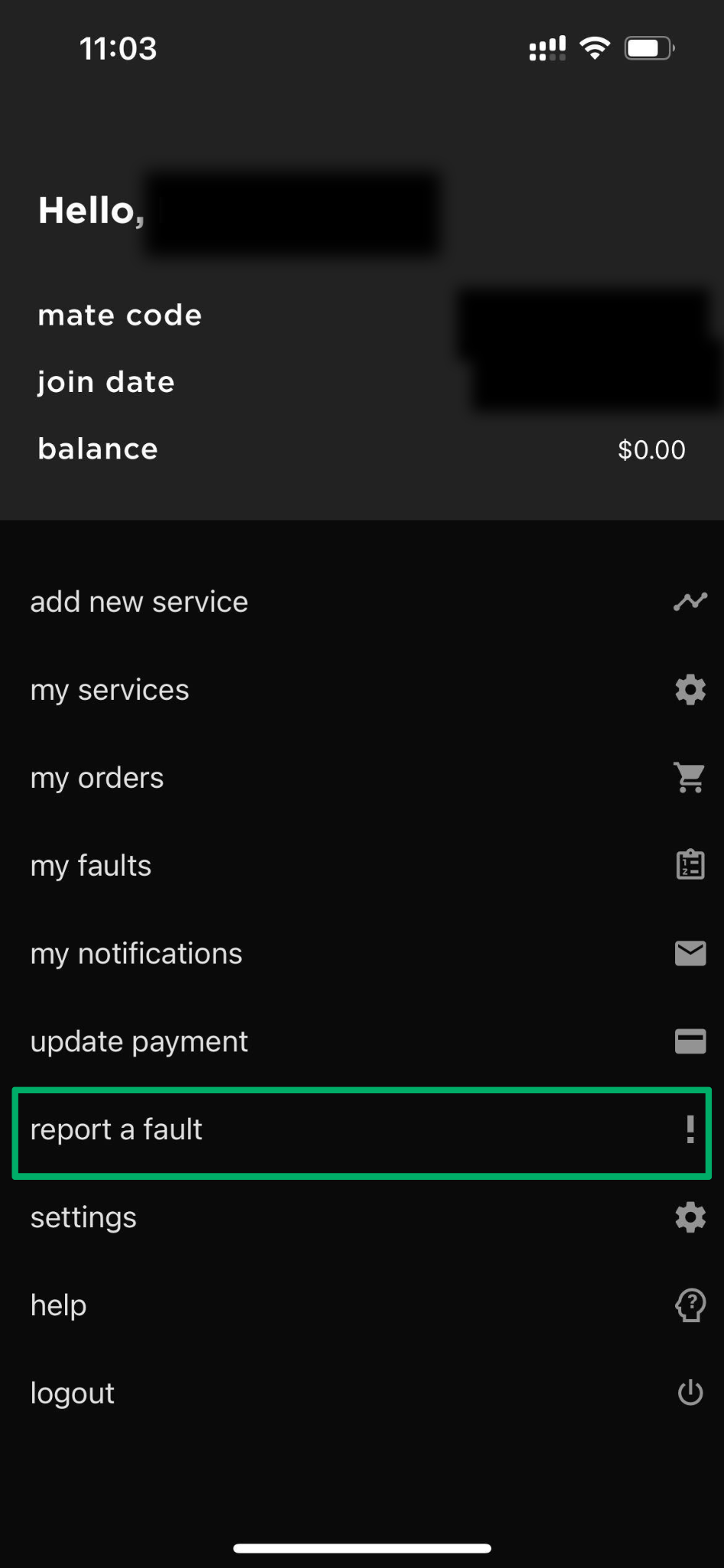
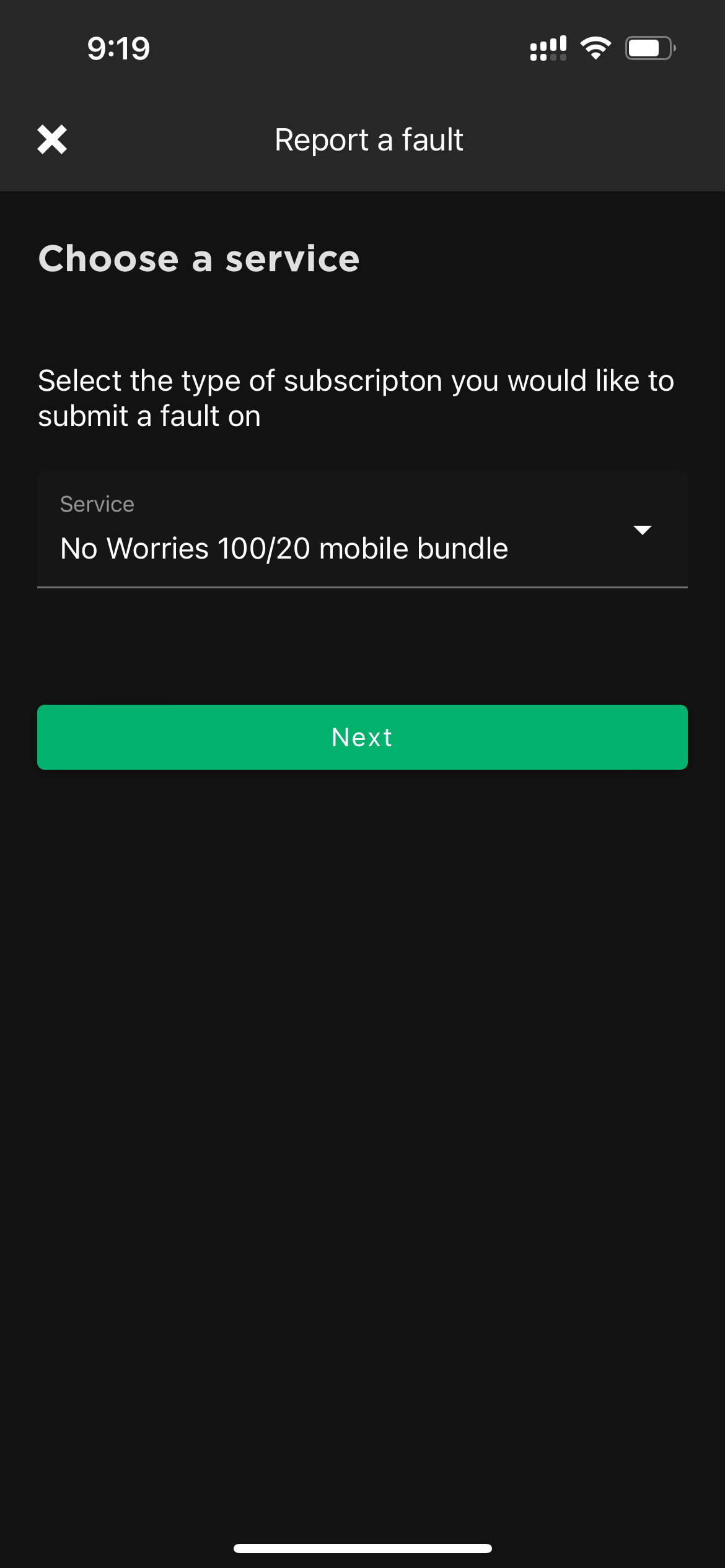
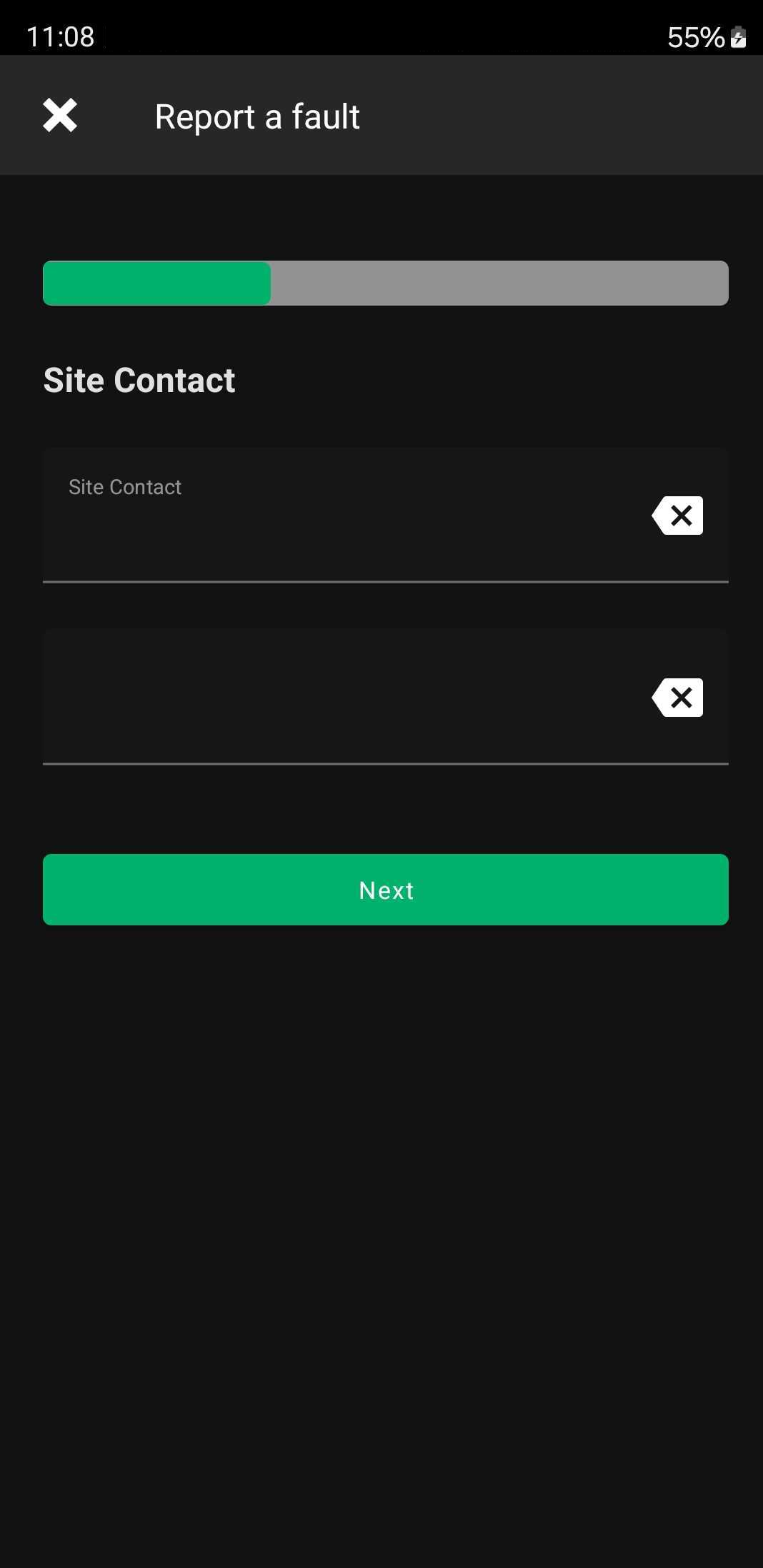
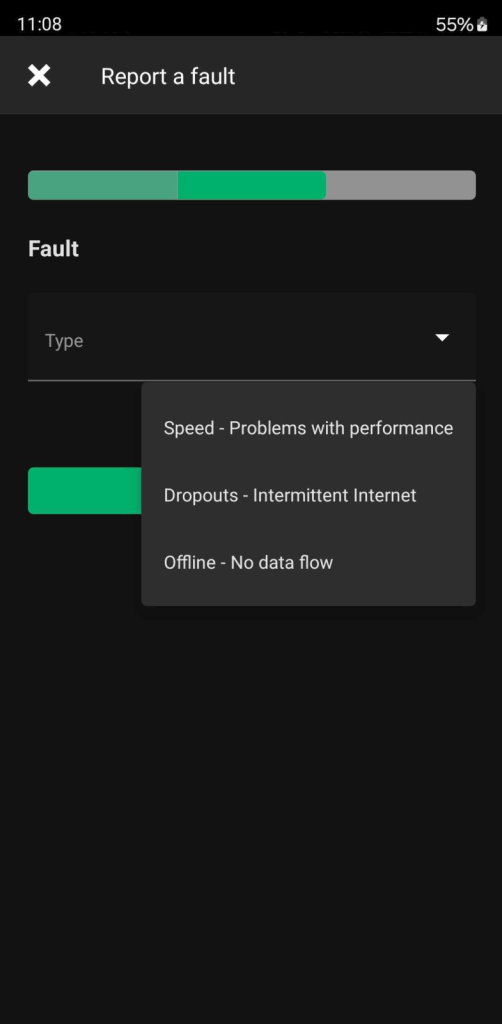
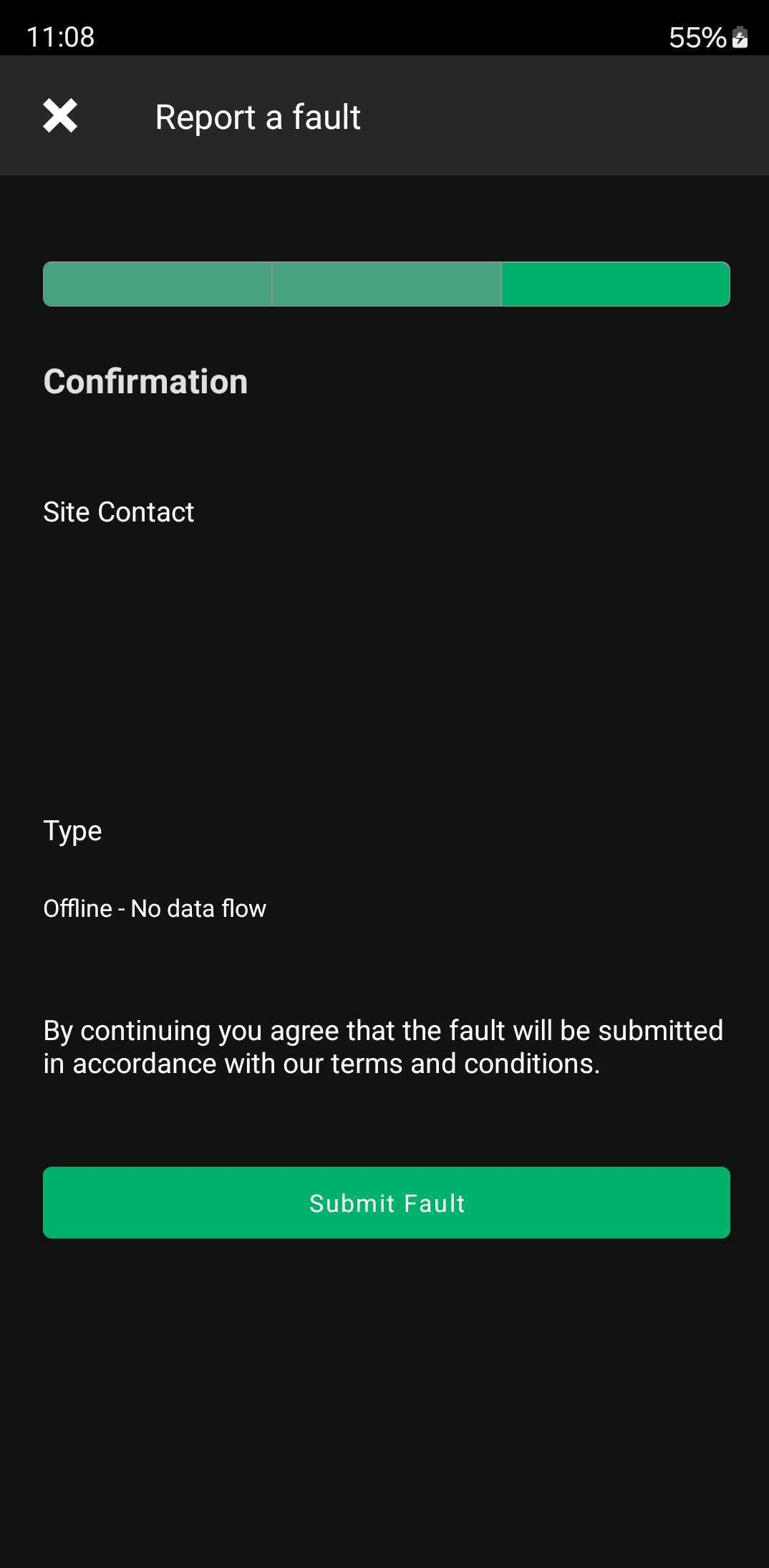
Our system will run some checks and, if needed, we’ll raise a ticket with nbn.
Prefer to use your computer?
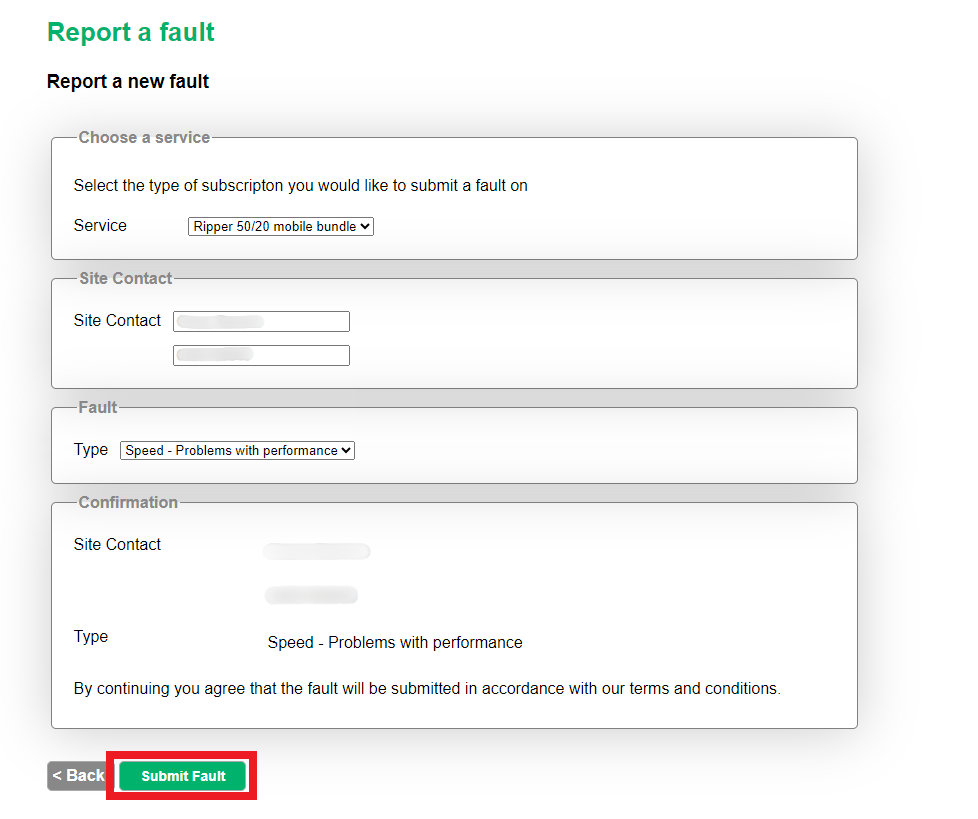
No worries. You can use our self-care portal instead:
- Log in with your account number (MATE code)
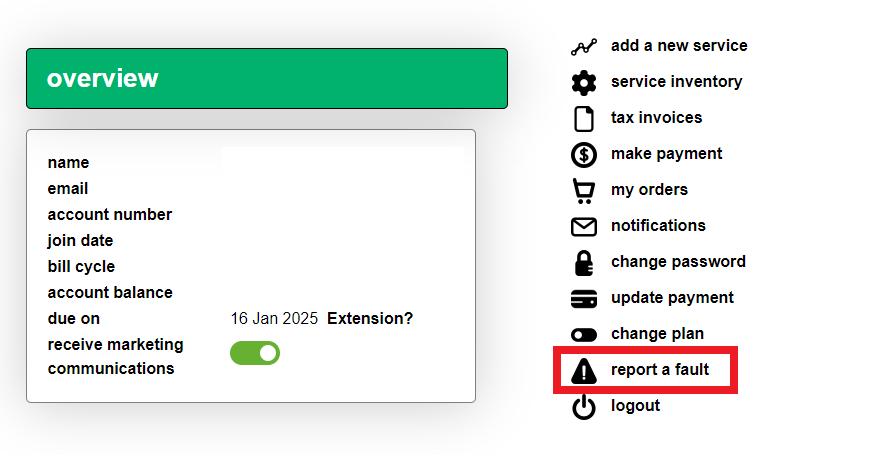
- Click Report a fault
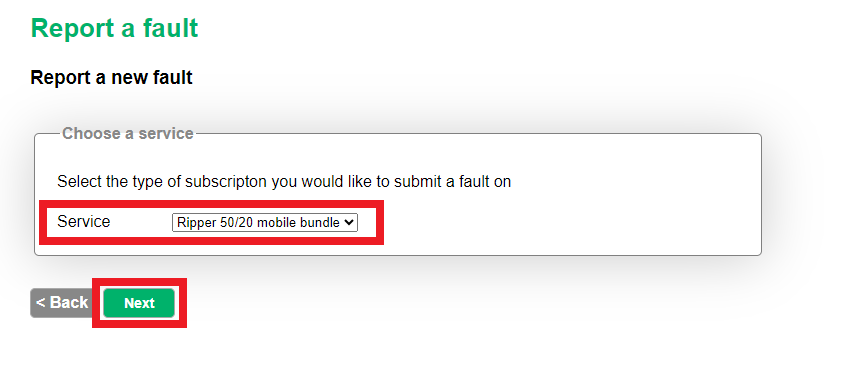
- Select your nbn service
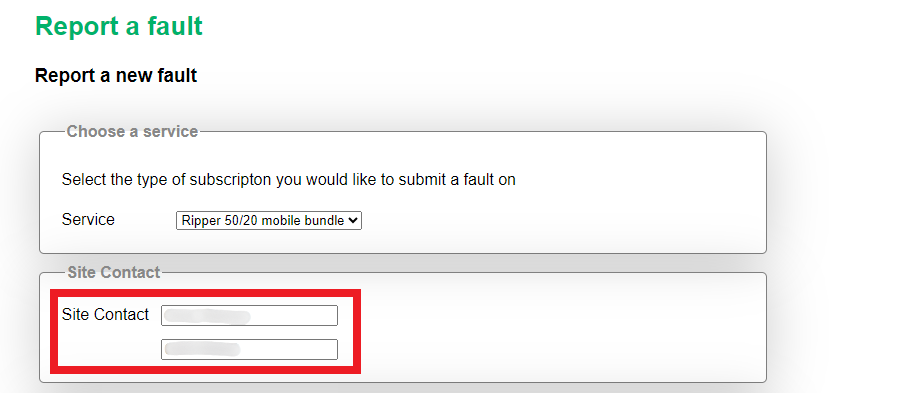
- Double-check your contact details are correct
- Choose your fault type: Offline, Speed or Dropouts
- Review everything and click Submit Fault

Want to check your fault status?
- In the myMATE app: tap My faults to see the latest update
- In the self-care portal: go back to Report a fault and click Show


