Good news, you can change your mobile plan yourself through our self-care portal or the myMATE app. Here’s everything you need to know.
Important stuff to know first
- Any plan change shows up as pro-rata charges or credits on your next bill. You’ll find the breakdown on the second page of your invoice.
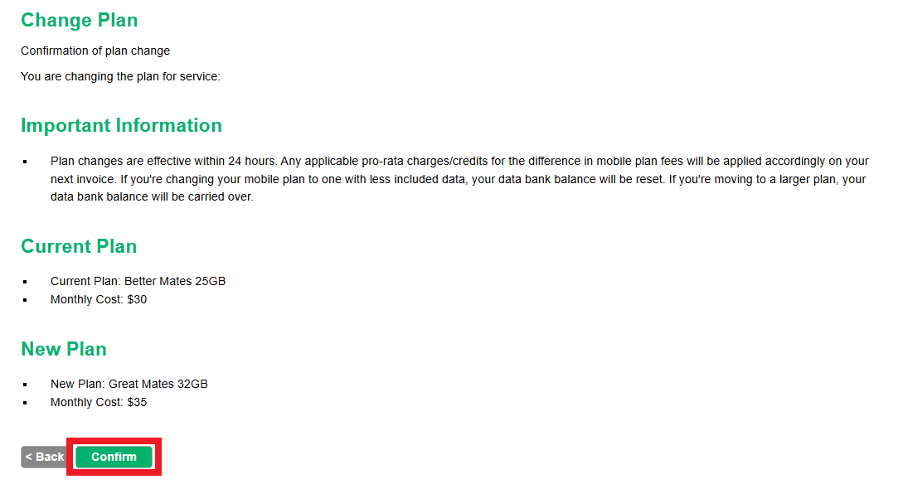
- Switching to a cheaper mobile plan, or from 5G to 4G? Your banked data will be reset.
- Upgrading your mobile plan, or moving to 5G? Your banked data stays with you.
When does my new data allowance become available?
As soon as your plan change goes through, your new data allowance is available straight away, and you get the full new amount for the rest of your current bill cycle. It isn’t pro-rated or split.
💡 For example: If you move from a 15GB plan to a 30GB plan halfway through the month, you’ll have the full 30GB available for the rest of that bill cycle, not a part amount. Your allowance then resets to 30GB as normal on your next bill cycle date.
Want to change your plan on your phone?
The myMATE app is your best bet. Here’s how:
- Log in with your account number (MATE code)
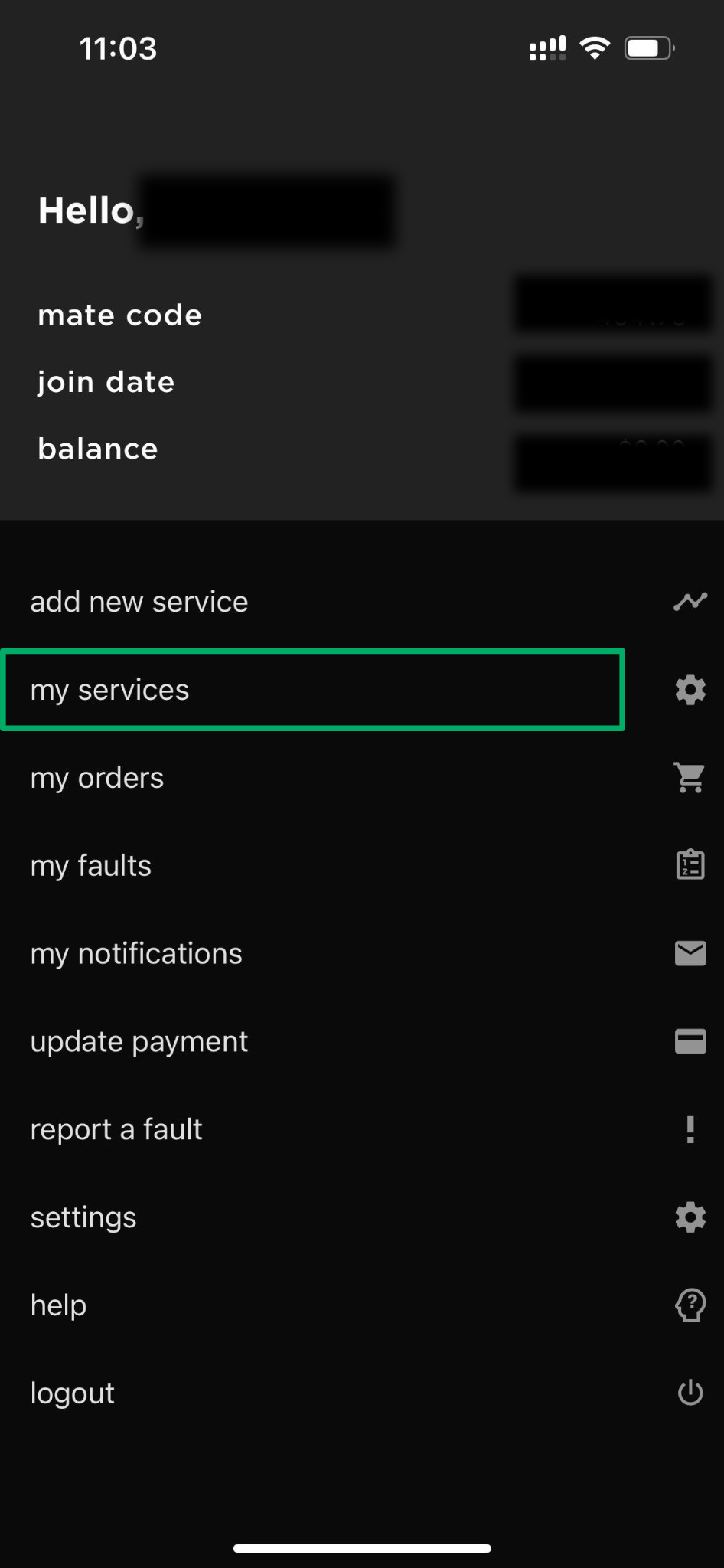
- Tap ‘my services’ on the main screen
- Select your mobile plan
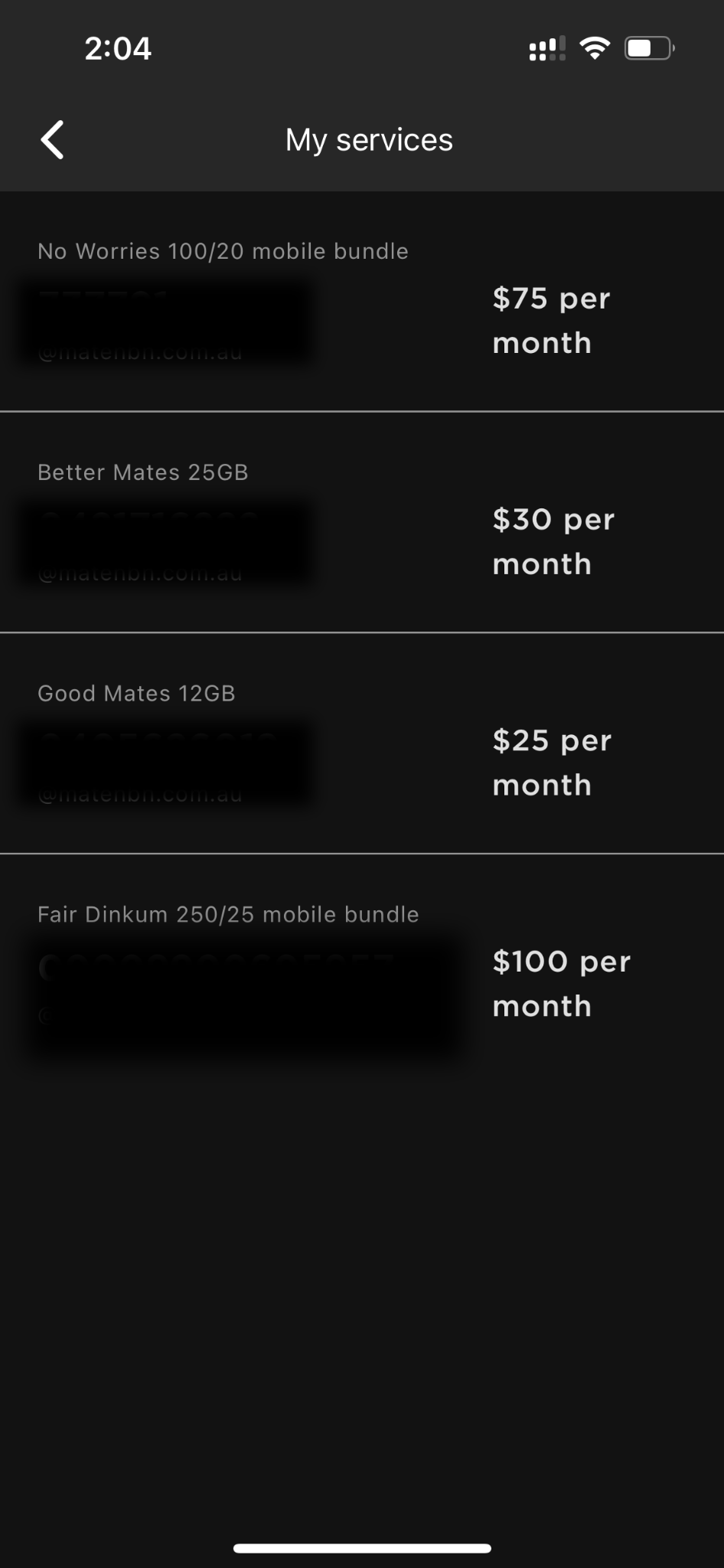
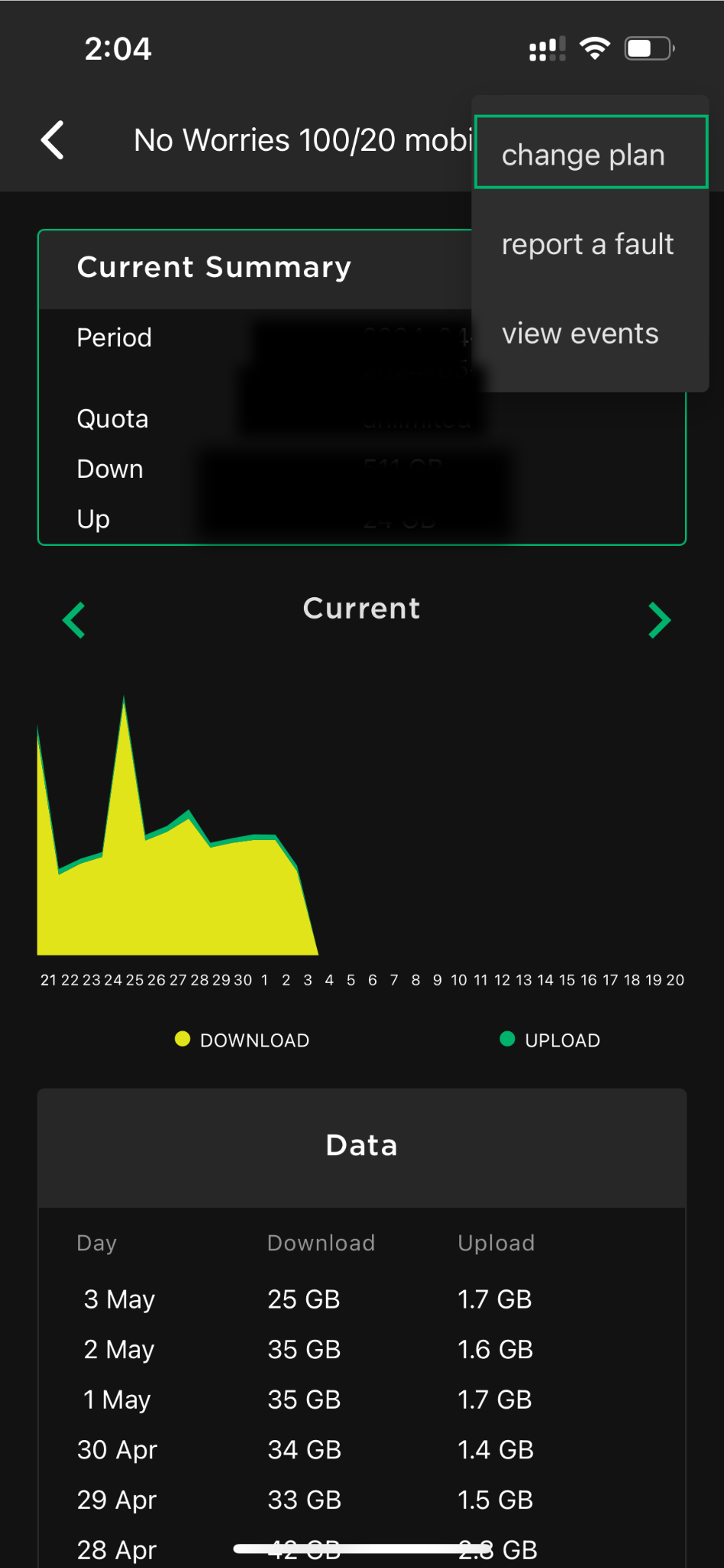
- Tap the icon in the top right
- Choose ‘change plan’ and follow the prompts
Need the app? Download it here:


Prefer to use your computer?
No worries. Jump onto our self-care portal:
- Log in with your account number (MATE code)
- Click the “Change Plan” option
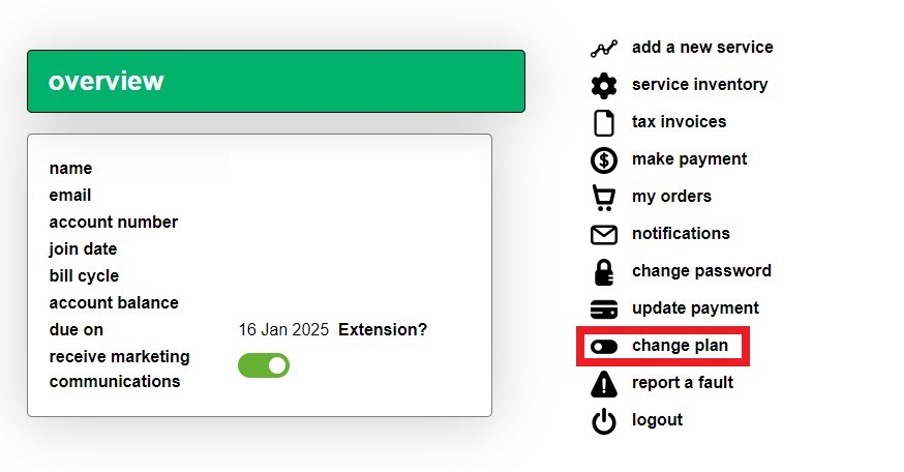
- Select your mobile service (click the circle on the left)
- Choose your new mobile plan from the dropdown menu
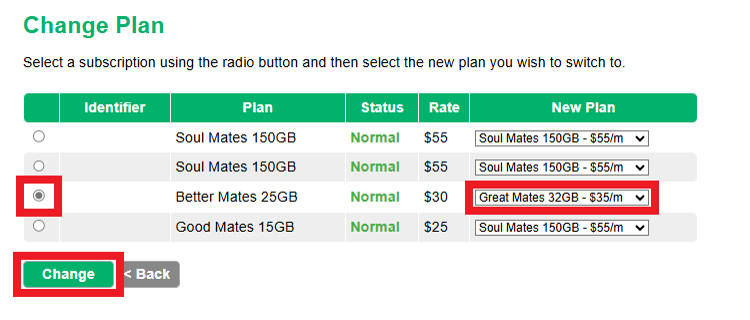
- Hit ‘Change’ and then confirm your choice
Forgotten your password?
Easy fixed. Use the password recovery option on either the myMATE app or self-care portal. If you’re using the app, make sure it’s up to date so you can see all these features.
💬 Need help? Stuck at any point? Our Aussie-based support team is happy to help. Get in touch with us here.
We use the Telstra Wholesale Mobile Network, click here to learn more.


